

When using the “New vs. Old Payment” Smart Segment, Drive AI compares a customer’s current payment with the payments generated by Drive AI offers to calculate the payment difference.
How the Payment Difference Is Calculated
Drive AI looks at the customer’s current payment and compares it with the payments generated in the offer, such as lease or finance payments. The system then calculates the difference between these payments and displays the result in the Payment Difference column in the Smart Segment page.
Drive AI Uses the Lowest Available Payment
If multiple payment options are available in an offer (for example, both lease and finance), Drive AI will automatically select the lowest calculated payment when determining the payment difference.
Example
Customer’s current finance payment: $266
Drive AI generated lease payment: $256
Drive AI generated finance payment: $304
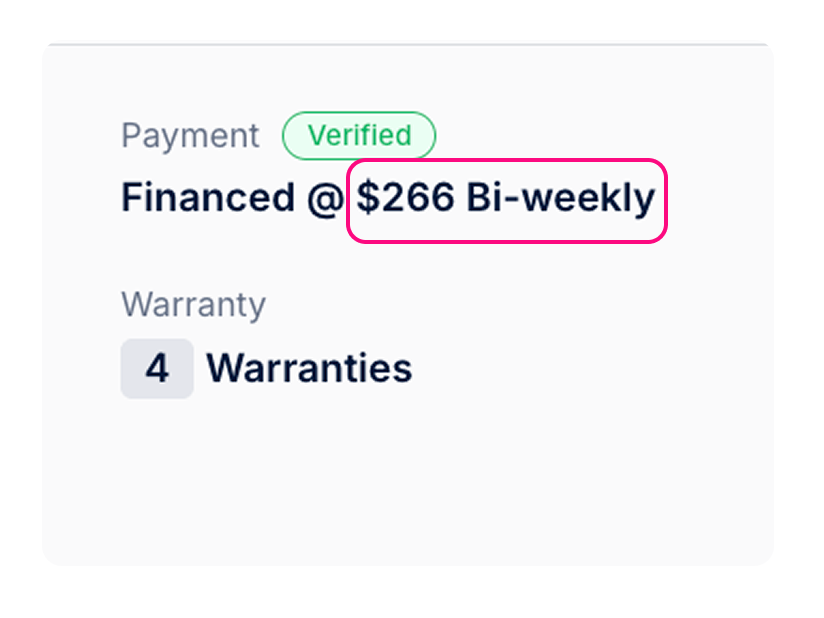
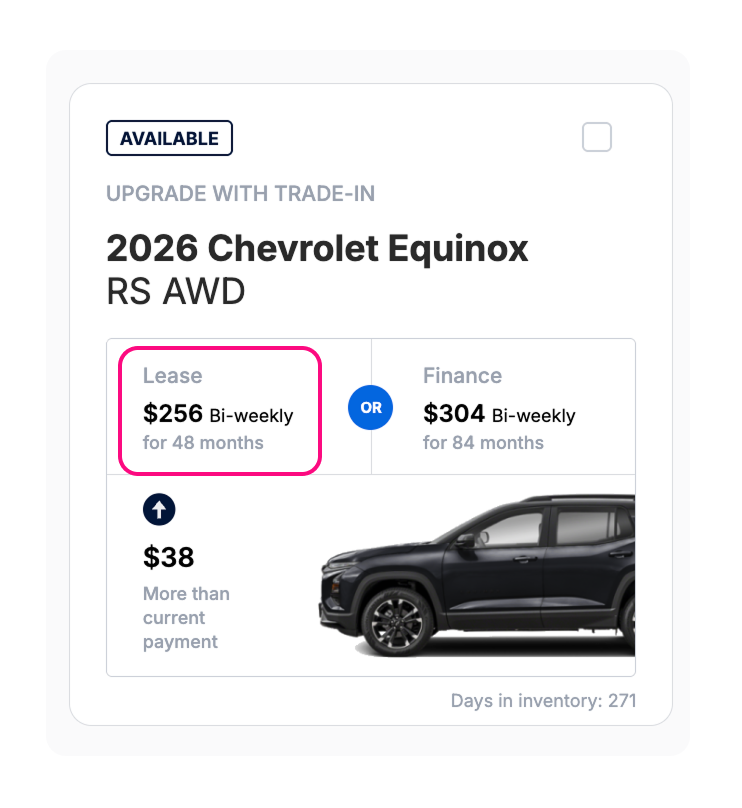
In this case, Drive AI selects the lowest payment ($256 lease) and calculates the payment difference based on that amount.
Result shown in the Payment Difference column: -$10
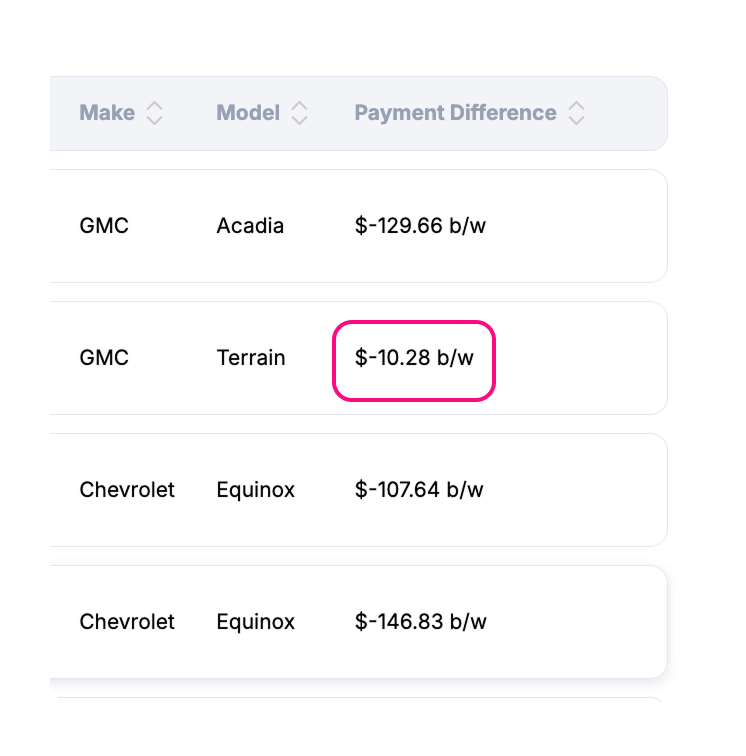
This means the offer presents a payment that is $10 lower than the customer’s current payment.
What This Means for Your Smart Segment
Because Drive AI uses the lowest available payment, customers may appear in this Smart Segment even if only one of the generated payment options (lease or finance) is lower than their current payment.
This helps identify customers who may benefit from a lower monthly payment opportunity.