

Customers’ Basic Factory (Bumper-to-Bumper) Warranties are coming up for expiry, a perfect opportunity for dealers to engage at exactly the right moment. With Drive AI’s new ChromeData integration, warranty lists are now far more accurate and detailed, showing only customers whose factory warranty is truly about to expire and who haven’t already purchased an Extended Warranty.
Drive AI’s Warranty Expiry feature just got a major overhaul, giving dealers cleaner data, better targeting, and stronger campaign performance.
Here’s what the upgraded Warranty Expiry system in Drive AI now does:
ChromeData Integration for Factory Warranty Expiry: Drive AI now pulls factory warranty expiry data directly from ChromeData, making warranty lists accurate, vehicle-specific, and based on real warranty timelines instead of estimates.
Extended Warranty via Data Feed (DMS-Dependent): If a dealership has an Extended Warranty data feed available through their DMS, Drive AI will automatically ingest that data, identify covered customers, and remove them from warranty-expiry outreach lists.
For most supported DMS integrations, Drive AI automatically fetches Extended Warranty expiry data only when the warranty was purchased at the time of the vehicle sale. Warranties purchased after the initial sale may not appear in the data feed.
Currently Supported DMS Sources for Automatic Extended Warranty Fetch (at time of sale):
AUTHENTICOM
CDK 180 (Limited information available; Mercedes-Benz Durham is an exception due to custom integration work)
SERTI
REYNOLDS
PBS (PBS Historics sourced from Reynolds) – currently under review to confirm whether post-sale warranty updates are received
Manual Extended Warranty Upload into Drive AI: Dealerships can upload their Extended Warranty data directly into Drive AI to ensure covered customers are excluded from warranty-expiry campaigns and lists.
Manual uploads are required in the following situations:
When the dealership does not have an automated DMS data feed (including unsupported DMS systems)
When the Extended Warranty was purchased after the initial vehicle sale
In these cases, dealers must upload their Extended Warranty data using a file through the Drive AI platform.
Key Updates
1️⃣ ChromeData Factory Warranty Integration
Drive AI now leverages ChromeData to provide more accurate and detailed Factory Warranty information.
Customer Profiles display:
Active warranties (Factory & Extended)
Warranties expiring soon
Expired warranties
2️⃣ Import Extended Warranties
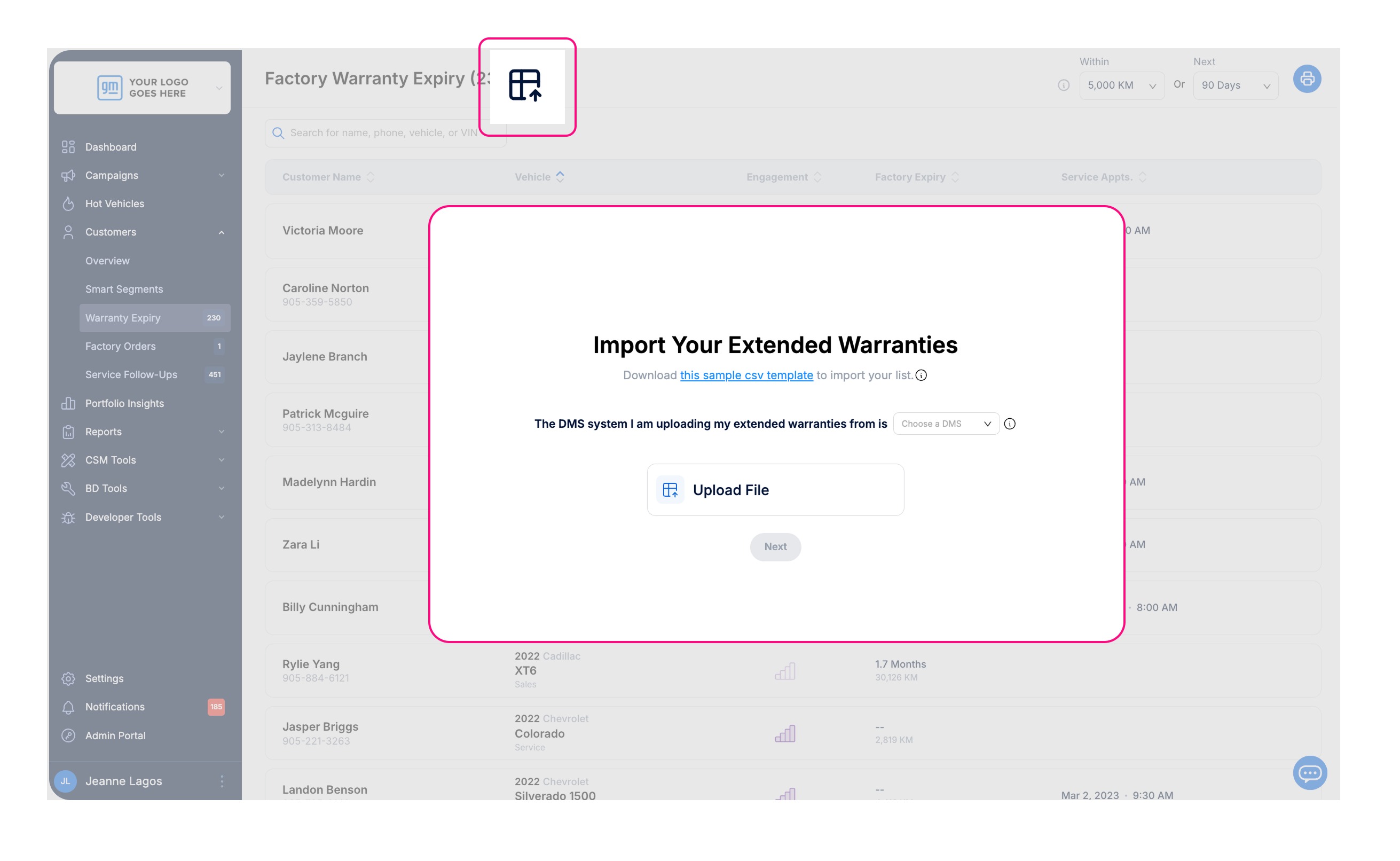
New Import button on the Factory Warranty Expiry page allows dealers to upload Basic Extended Warranty data.
Steps:
Click the Import button to open the Import Your Extended Warranties page.
Download the CSV template – this file includes all the required fields the dealer needs to fill in.
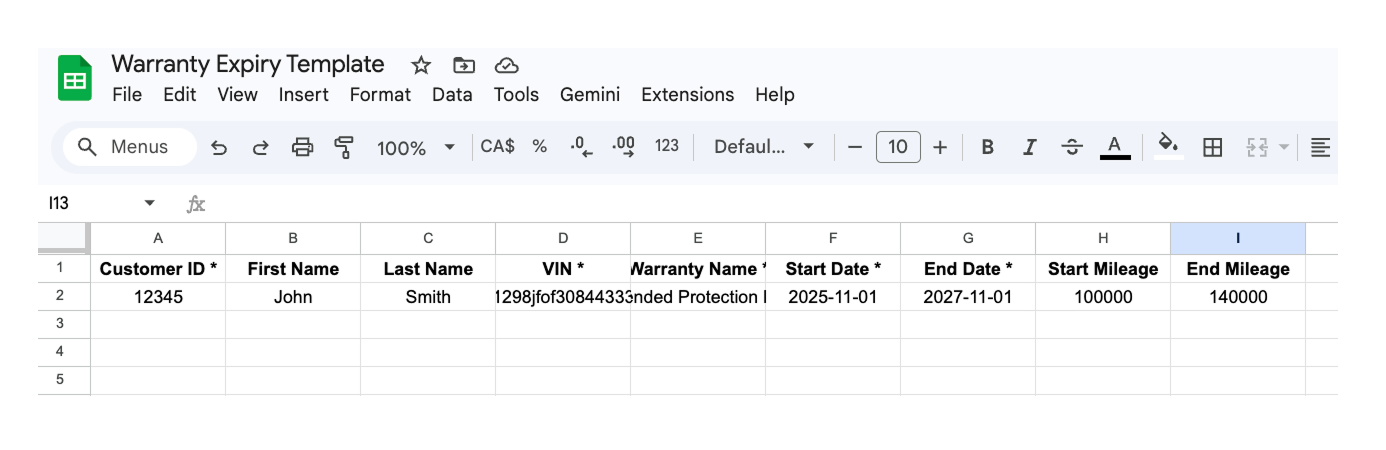
Fill in the details for each customer with an Extended Warranty.
Choose the DMS from the dropdown menu (if applicable) and upload the completed file.
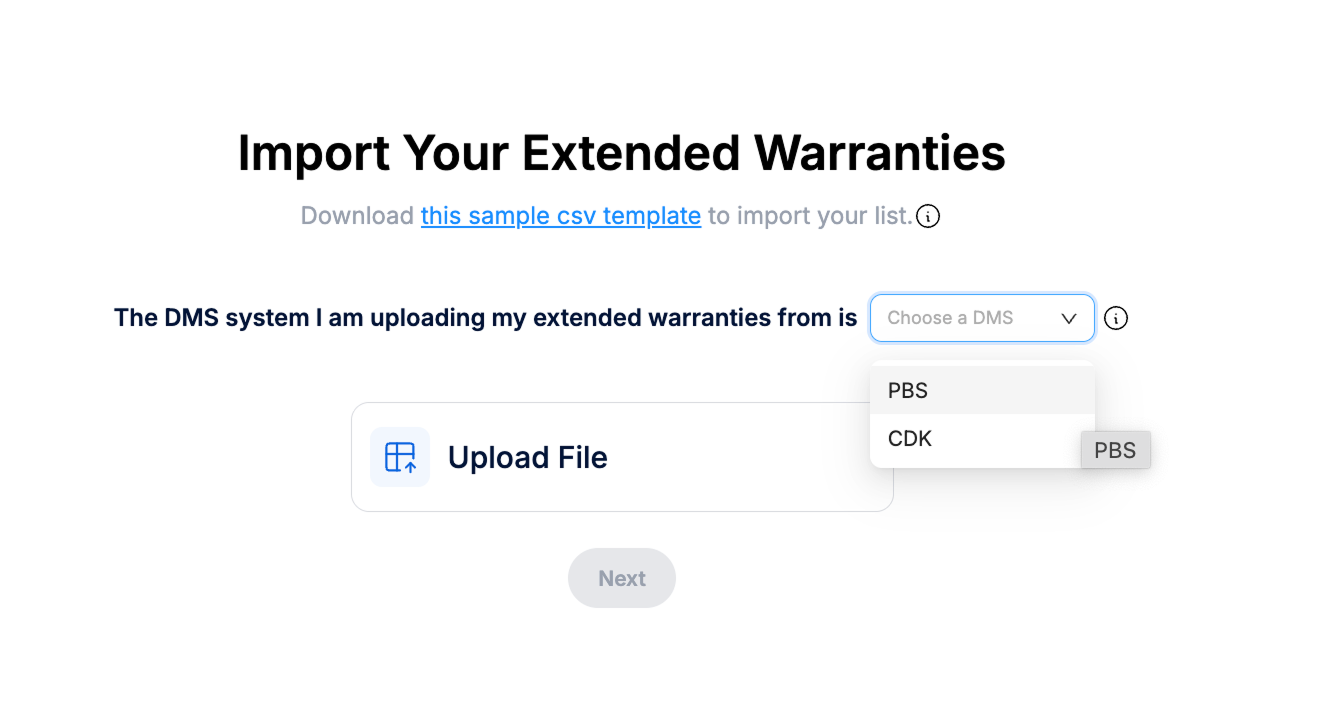
After uploading: Customers included in the file are automatically removed from the Factory Warranty Expiry list and from related Smart Segments, ensuring outreach only targets customers who actually need coverage.
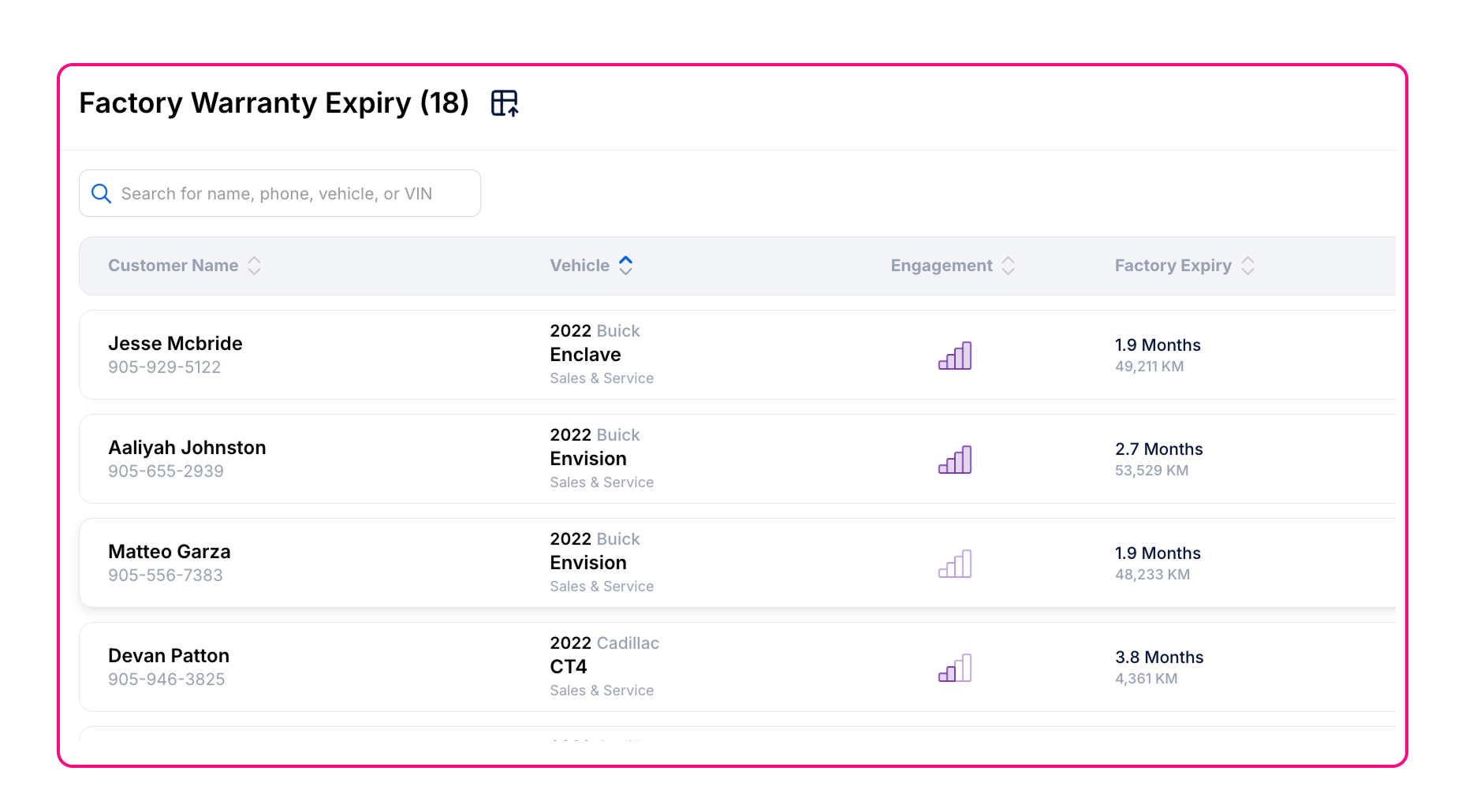
3️⃣ Factory Warranty Expiry Page
Renamed from “Warranty Expiry” to “Factory Warranty Expiry”.
Only customers with an active Factory Warranty and no Extended Warranty appear.
Ensures outreach focuses on customers who actually need coverage.
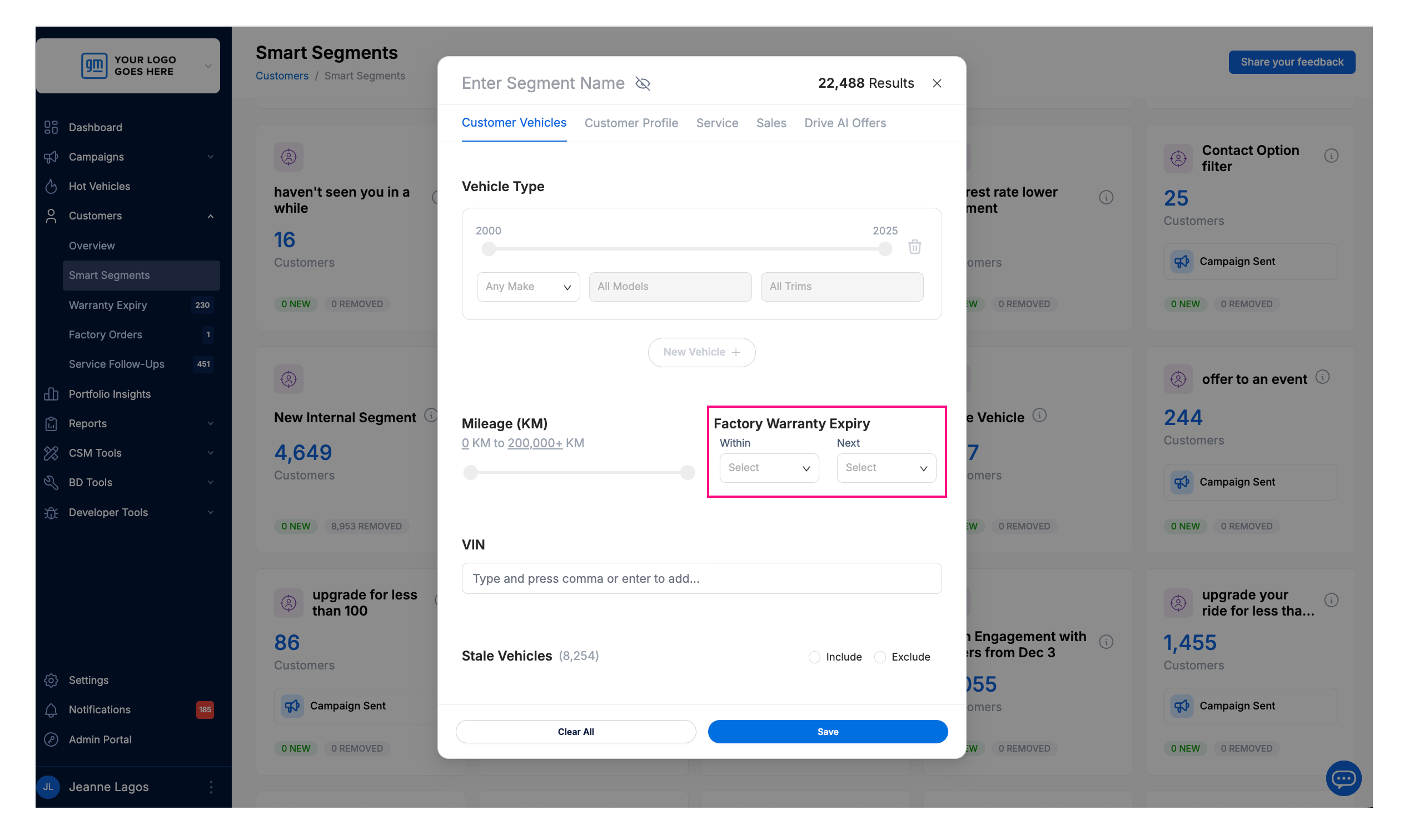
4️⃣ Smart Segments
Warranty Expiry filter renamed to Factory Warranty Expiry. It automatically filters out customers who already have an Extended Warranty
5️⃣ Customer Details Page
Active Warranties section is now available.
Dealers can view the number and type of Factory and Extended Warranties, upcoming expirations, expired warranties, and whether warranty data is being received from the dealer’s DMS.
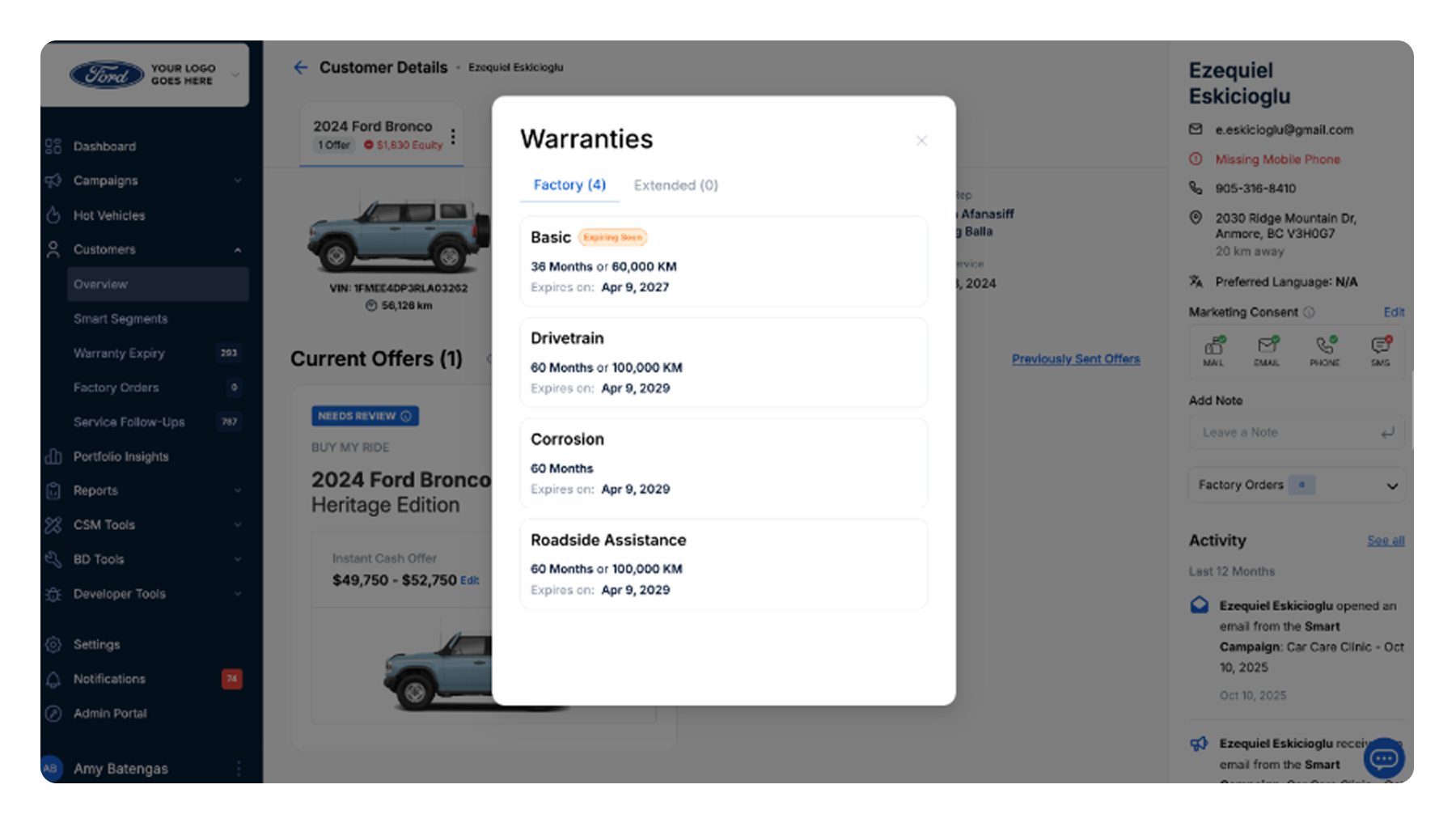
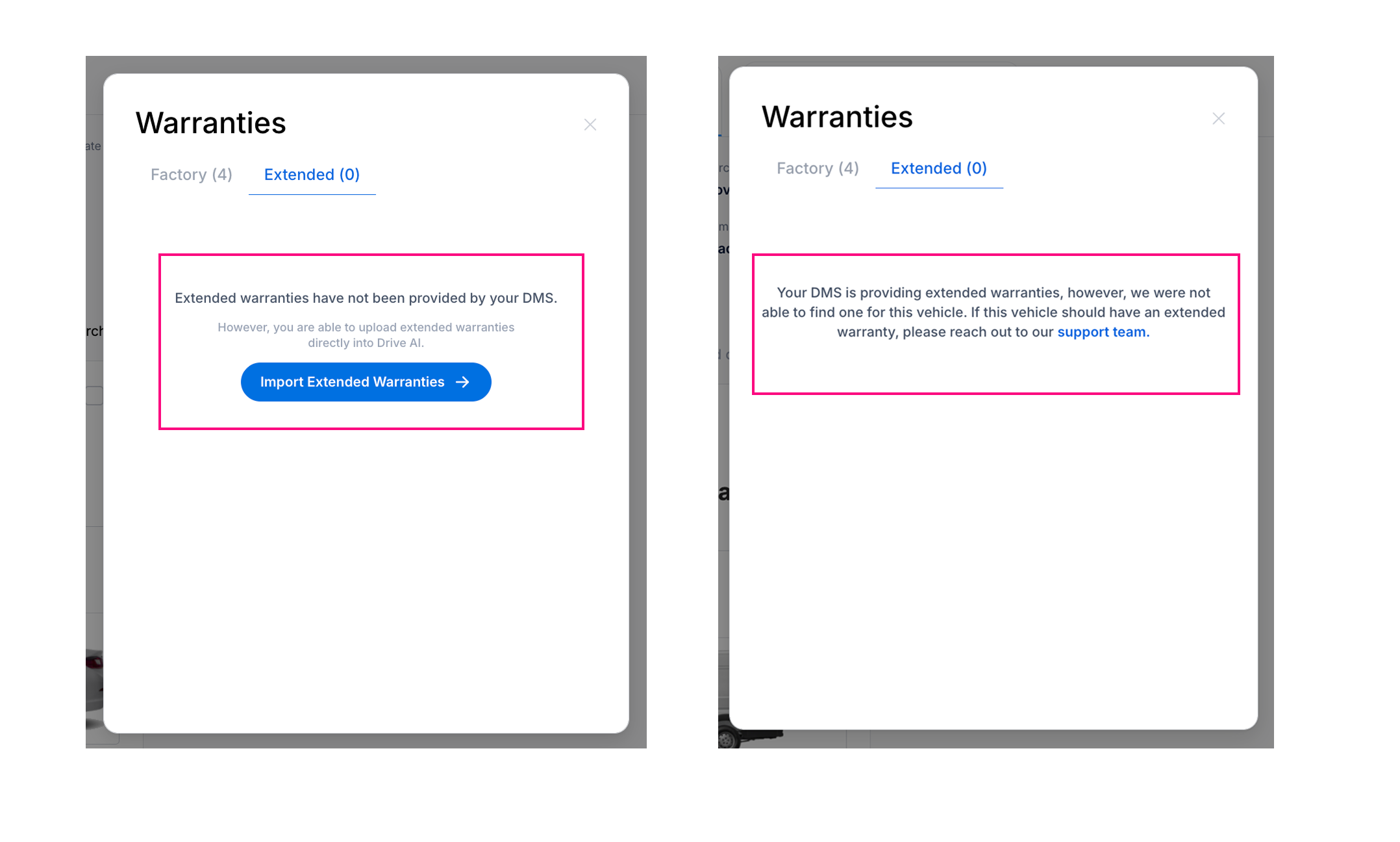
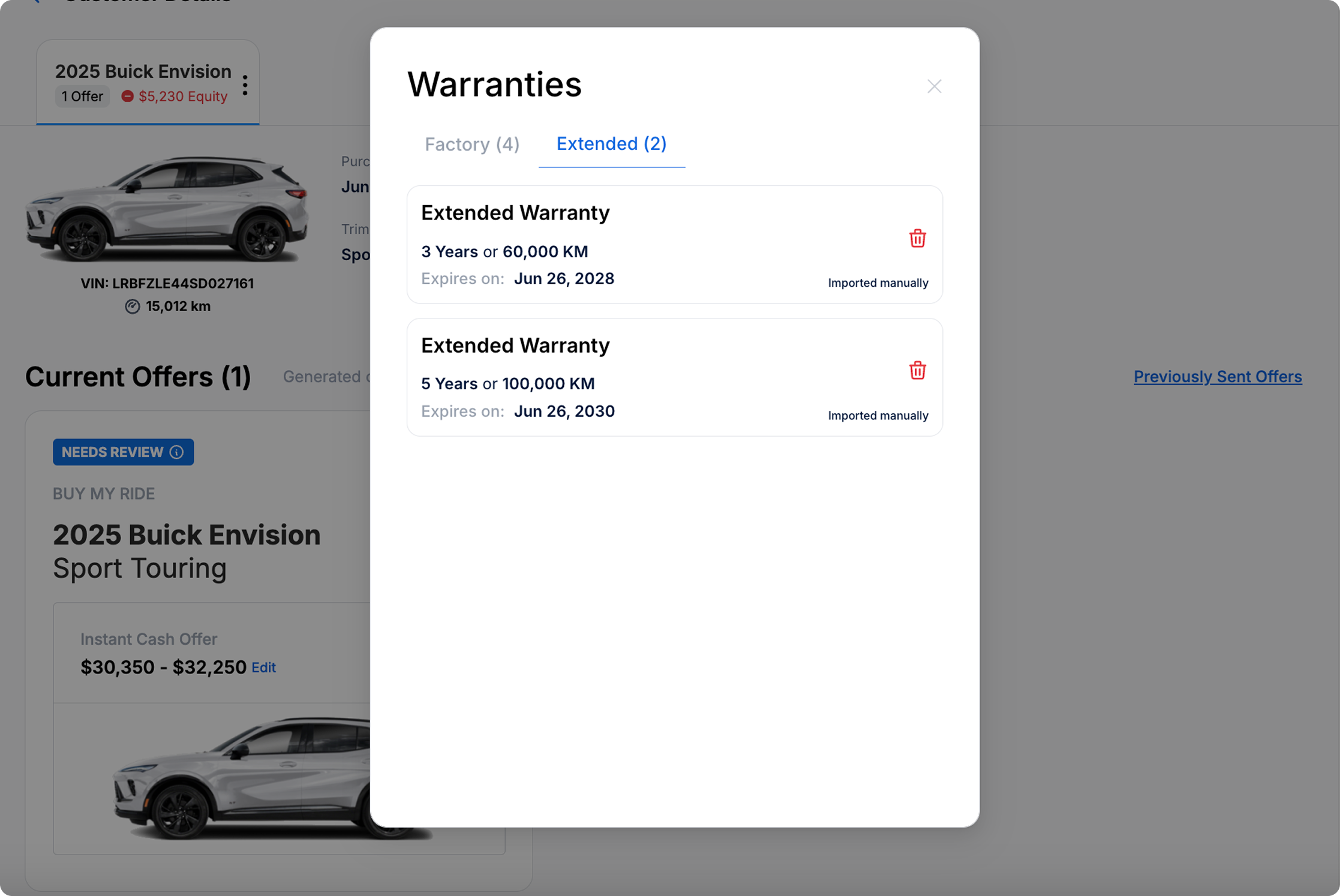
Customer Warranty View in Drive AI
This is what it looks like when a customer has Extended Warranty details recorded in Drive AI.
This update is live and ready for use. Log in now to explore the new Factory Warranty Expiry view and ensure your outreach hits the mark every time.