

We know that Passenger and Commercial vehicles are used differently and have different lifecycles. To make things easier for dealers, we’ve introduced separate Buy My Ride (BMR) settings for Passenger and Commercial vehicles.
Now, dealers can adjust things like age, mileage, negative equity, and offer review requirements for each vehicle type. This meansthe offers sent out are more accurate and tailored, helping dealers run their operations smoothly and make sure the right offers reach the right vehicles.
Key Updates
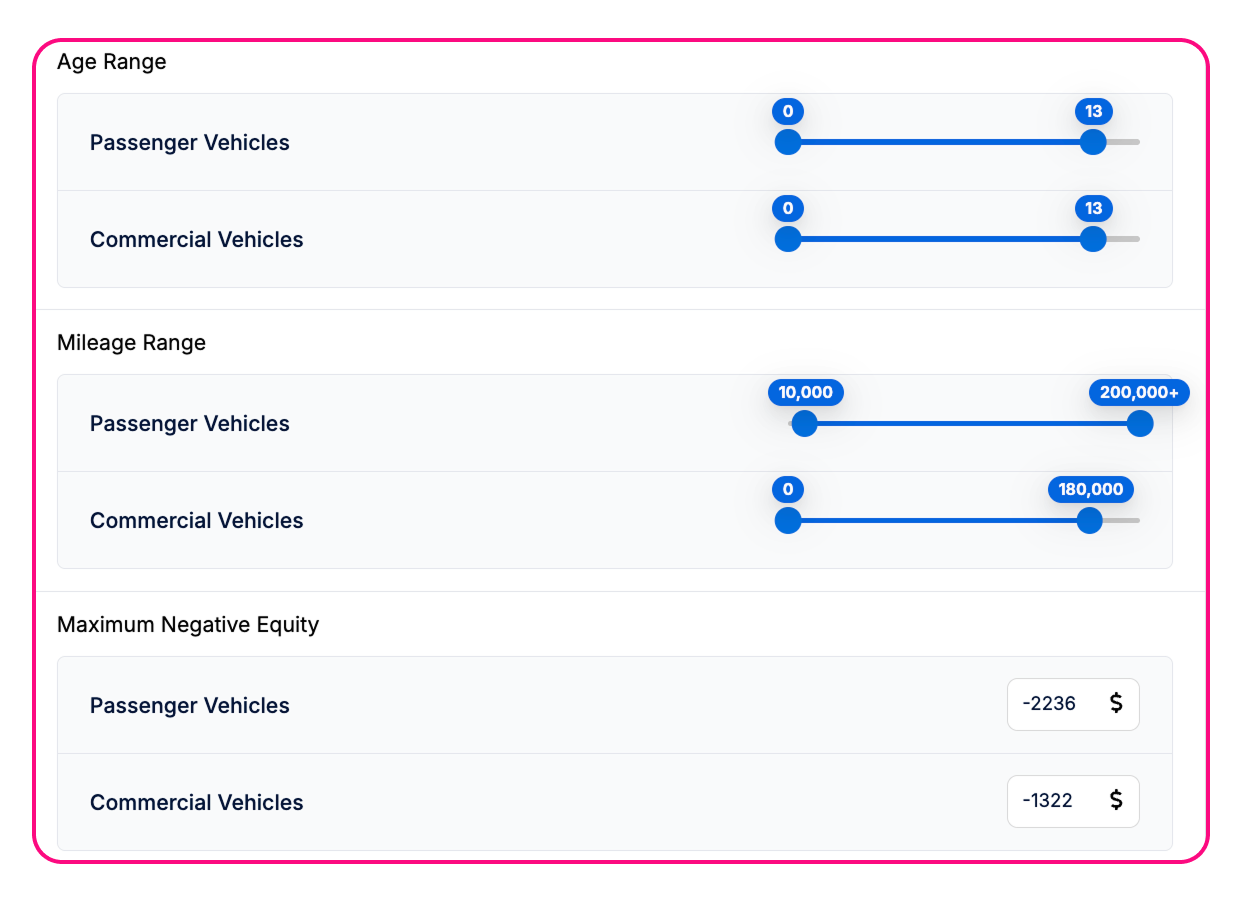
1. Settings for Passenger & Commercial Vehicles
Admin Users and CSMs can now configure the following BMR settings independently for each vehicle type:
This gives dealers more flexibility to set rules that match the characteristics of each vehicle type.
2. Default Behavior for Offers Require Review
The Offers Require Review setting determines whether offers need manual review before being sent to customers. The update applies the following defaults:
For dealers with Offers Require Review currently OFF, the default settings will be:
Passenger vehicles: OFF
Commercial vehicles: ON
For dealers with Offers Require Review currently ON, the default settings will be:
Passenger vehicles: ON
Commercial vehicles: ON
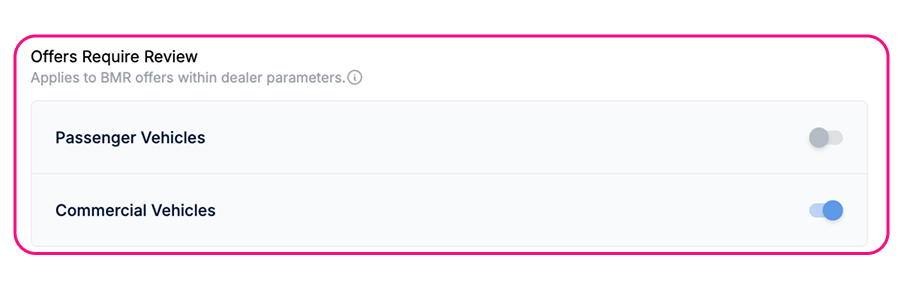
Important: Only Admin users can toggle Offers Require Review on/off. If a dealer wants to change this setting, they must contact the Support team to make the update. Dealers cannot change this directly.
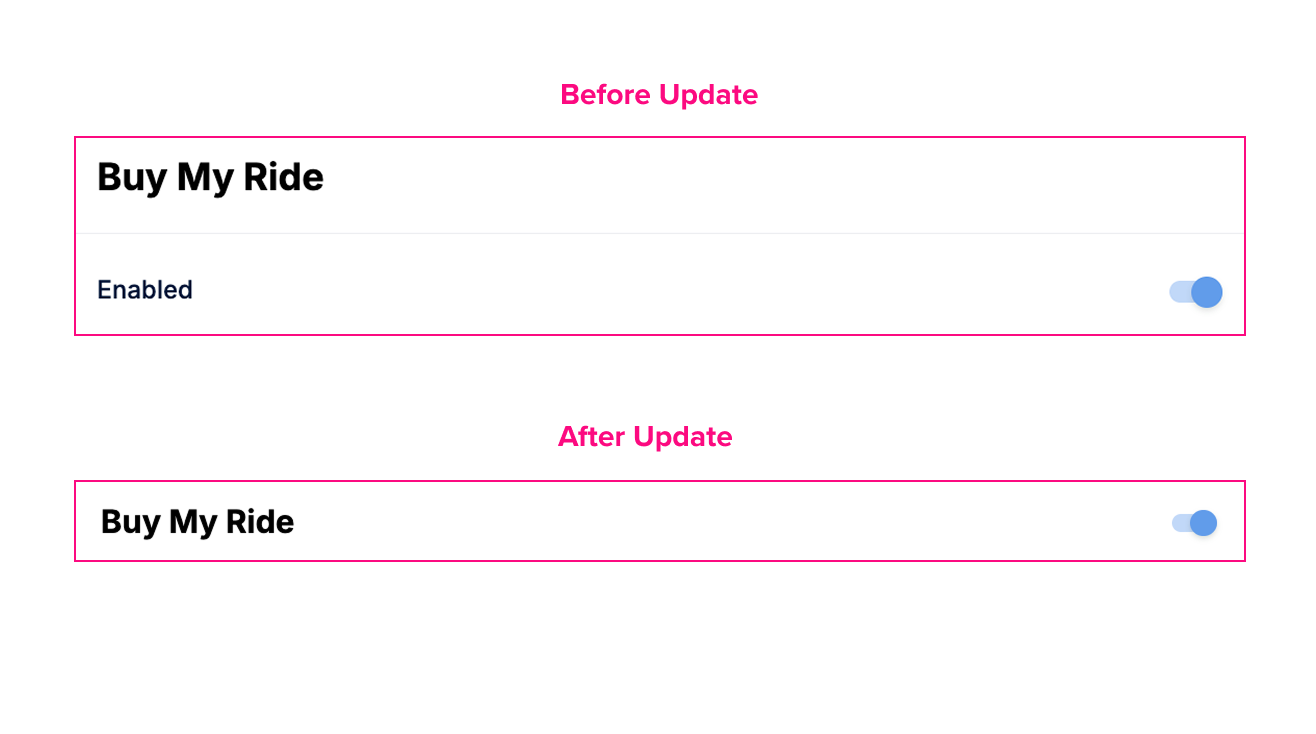
3. Updated “Allowed (admin view) / Enabled (CSM view)” Toggle
The toggle has been redesigned for a smoother user experience:
New Location: At the title line of each BMR section in Dealer Settings (labeled “Allowed”) or Platform Preferences (labeled “Enabled”).
When OFF: Secondary settings in that section are hidden, decluttering the page.
When ON: Secondary settings are visible, allowing users to configure them as needed.
This change applies to all primary settings that previously had the “Allowed/Enabled” toggle.
Benefits for Dealers
Tailored Offers: Different rules for Passenger and Commercial vehicles make offers more accurate and relevant.
Reduced Errors: Offers are less likely to be sent to vehicles that don’t meet the dealer’s criteria.