

In busy dealership teams, Smart Segments often become a shared workspace. One person builds a segment, another updates it for a campaign, and someone else downloads it later. Over time, it can feel like picking up a file on your desk and wondering, “Who worked on this last?”
To make collaboration smoother and give your team instant clarity, Drive AI now displays who created each Smart Segment and who last updated it.
What’s New
When you hover over the information icon on any Smart Segment, the tooltip now shows:
Created By: The team member who originally built the segment
Last Updated By: The team member who most recently edited it
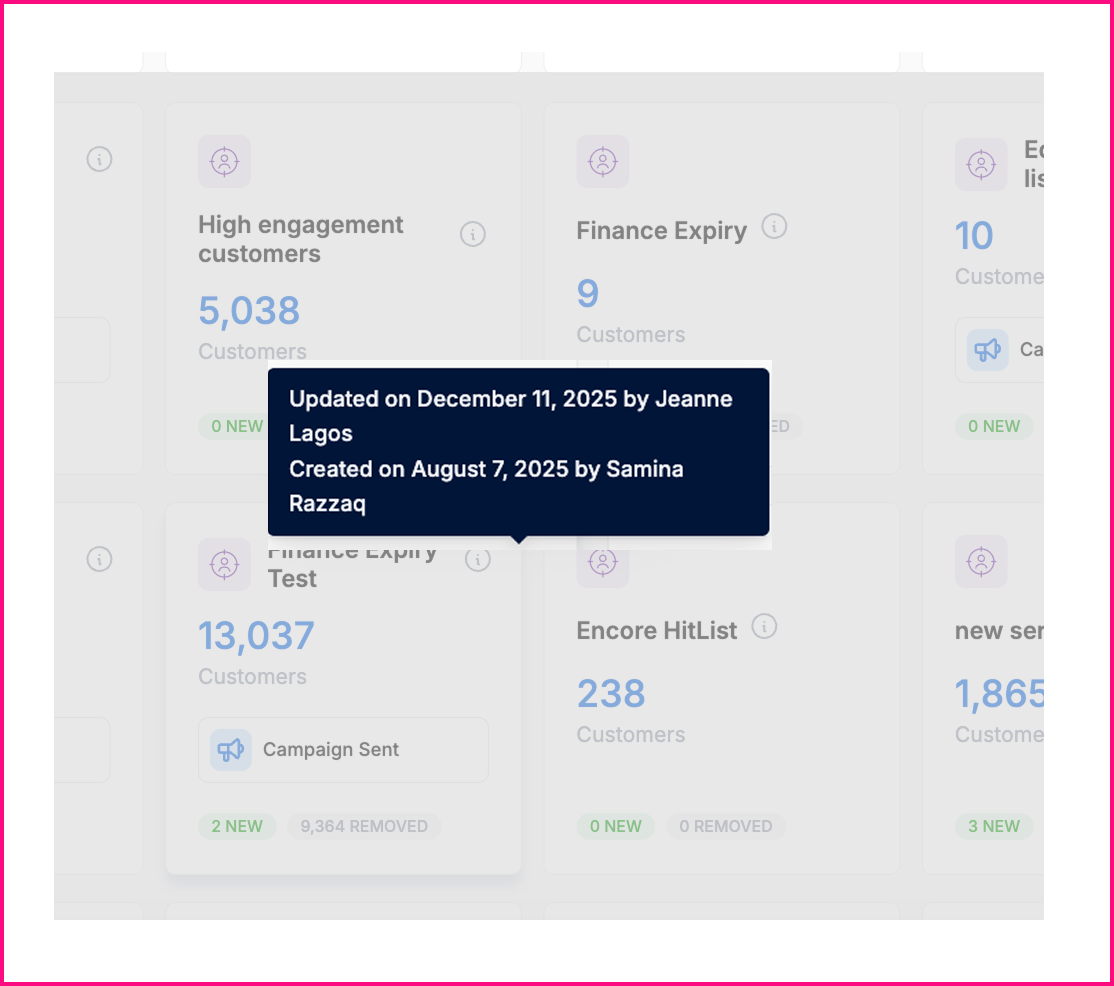
This provides immediate visibility into segment ownership and history.
What This Means for Your Dealership
Clear ownership: Know exactly who created or last adjusted any segment.
Stronger teamwork: Easily follow up with the right person for questions or updates.
Smoother workflows: Reduce back-and-forth and keep campaigns moving efficiently.
Better accountability: Ensure segments stay accurate and aligned with your goals.
This enhancement helps your dealership stay coordinated, organized, and confident when managing customer targeting.