

We’ve improved how the Contact Options filter works in Smart Segments, giving you more flexibility to define who gets included in your campaigns.
What’s Changed
Previously, the Contact Options filter only supported All logic.This meant that if you selected multiple contact methods (like Email, SMS, and Phone), Drive AI would only include customers who could be contacted through all those methods.
The New Improvement
Now, you can choose whether your segment uses Any or All logic when applying Contact Options.You’ll see two radio button options in the Smart Segment setup:
All – Customers must have all the contact options you select.
Example: Selecting Email and SMS will only include customers who have both
Email and SMS available.
This makes your segment smaller and more targeted.
Any – Customers can have any of the contact options you select.
or SMS (or both).
This makes your segment larger and helps you reach more customers.
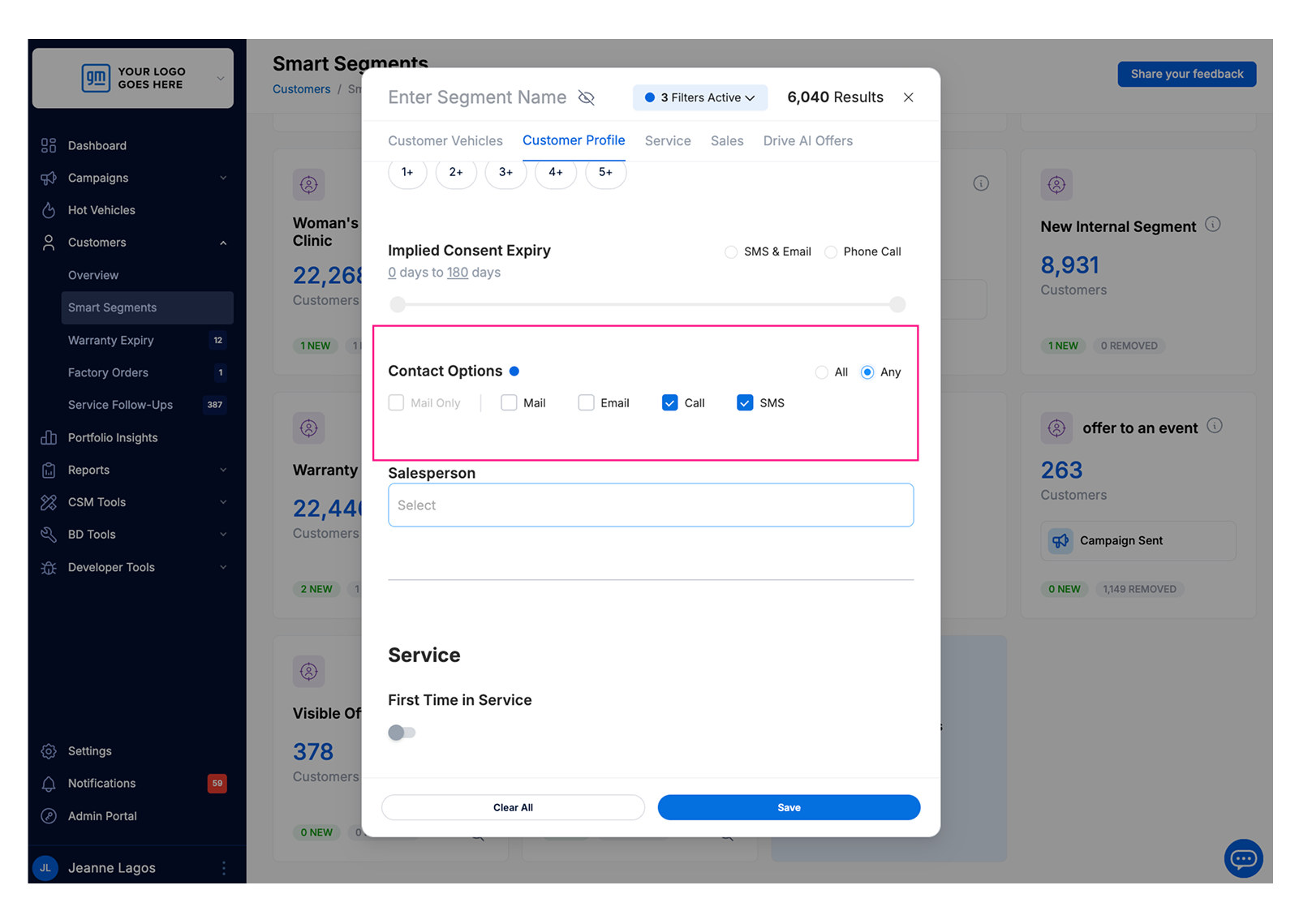
This update lets you decide how broad or specific your audience should be:
Use Any when you want to reach the widest audience possible.
Use All when you want to target customers who can be reached through every method you select.
With this improvement, Smart Segments now give you clearer, more flexible control over your campaign audiences.