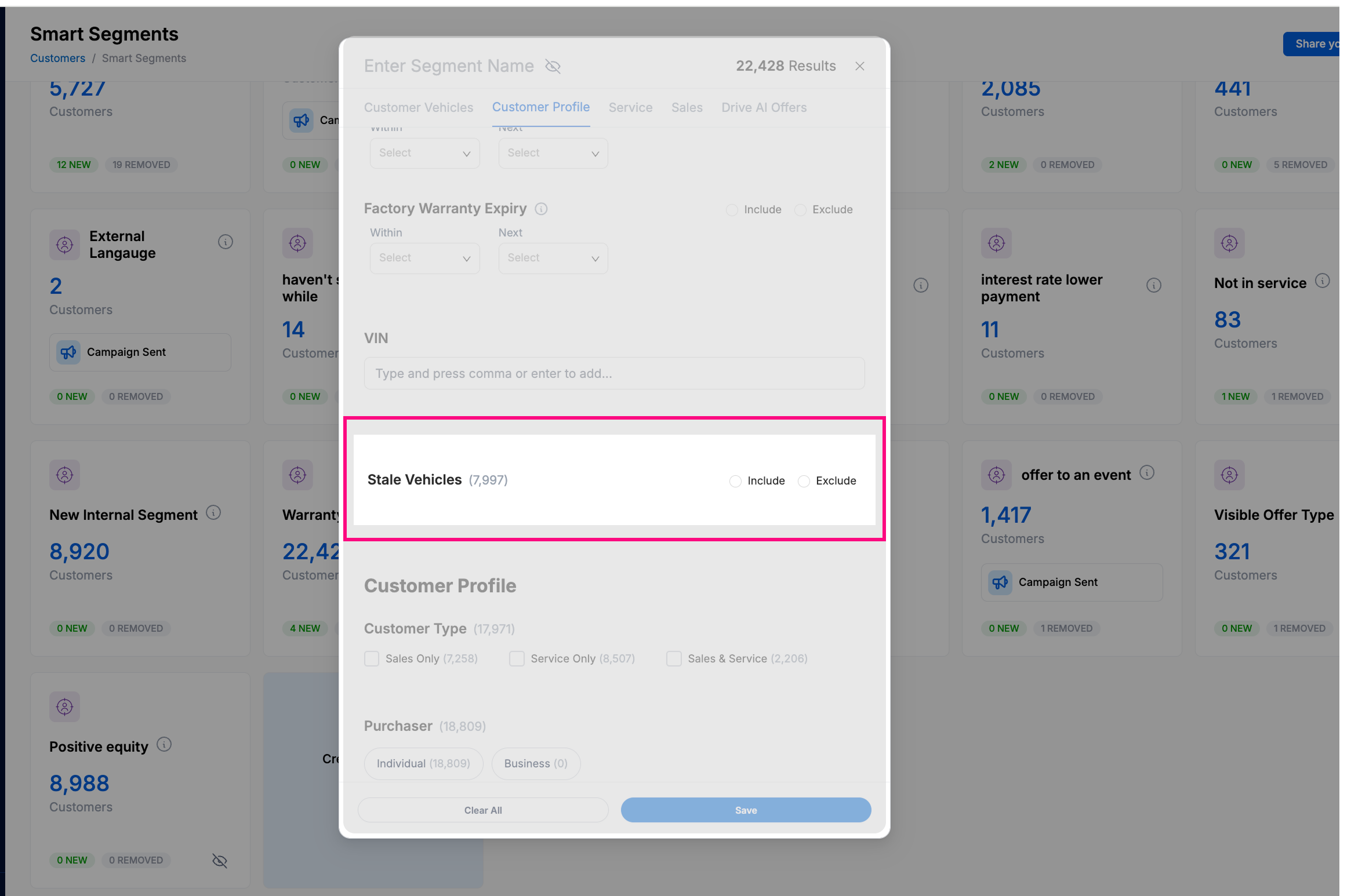
Fine-tune your targeting with greater precision. The new Stale Vehicle filter gives you the flexibility to include or exclude inactive vehicles in your Smart Segments, so your campaigns always reach the customers that matter most.
What’s New
When building a Smart Segment, you can now filter customers based on vehicle activity. Choose how you want to target:Include Stale Vehicles Only – Focus your campaign on customers with vehicles that haven’t been serviced or transacted recently, perfect for reactivation campaigns.
Exclude Stale Vehicles – Target only customers with active vehicles to keep your offers relevant and timely.
No Filter Applied (Default) – Includes both stale and active vehicles for broader reach.
The Stale Vehicle filter helps you:
✅ Optimize your targeting – Refine your audience and make every campaign count.
✅ Increase engagement – Send offers that better align with your customers’ current activity.
✅ Drive more business – Reactivate dormant customers or focus your efforts where
they’ll have the most impact.
Where to Find It
You’ll find the Stale Vehicle option under Customer Vehicles in your Smart Segment filters.It’s also available as a column option, so you can easily view and sort your customers by vehicle activity status.