

We want you to get the most out of Drive AI by reaching the right customers at the right time. To help with that, we’ve added a new way to filter customers in Smart Segments based on the type of Drive AI Offers they already see in their portal.
This update gives you more control over your campaigns, helping you avoid sending duplicate or irrelevant messages and making sure your outreach is as effective as possible.
A new "Drive AI Offers" filter section has been added to Smart Segments.
Key Details & How It Works
Where to Find It
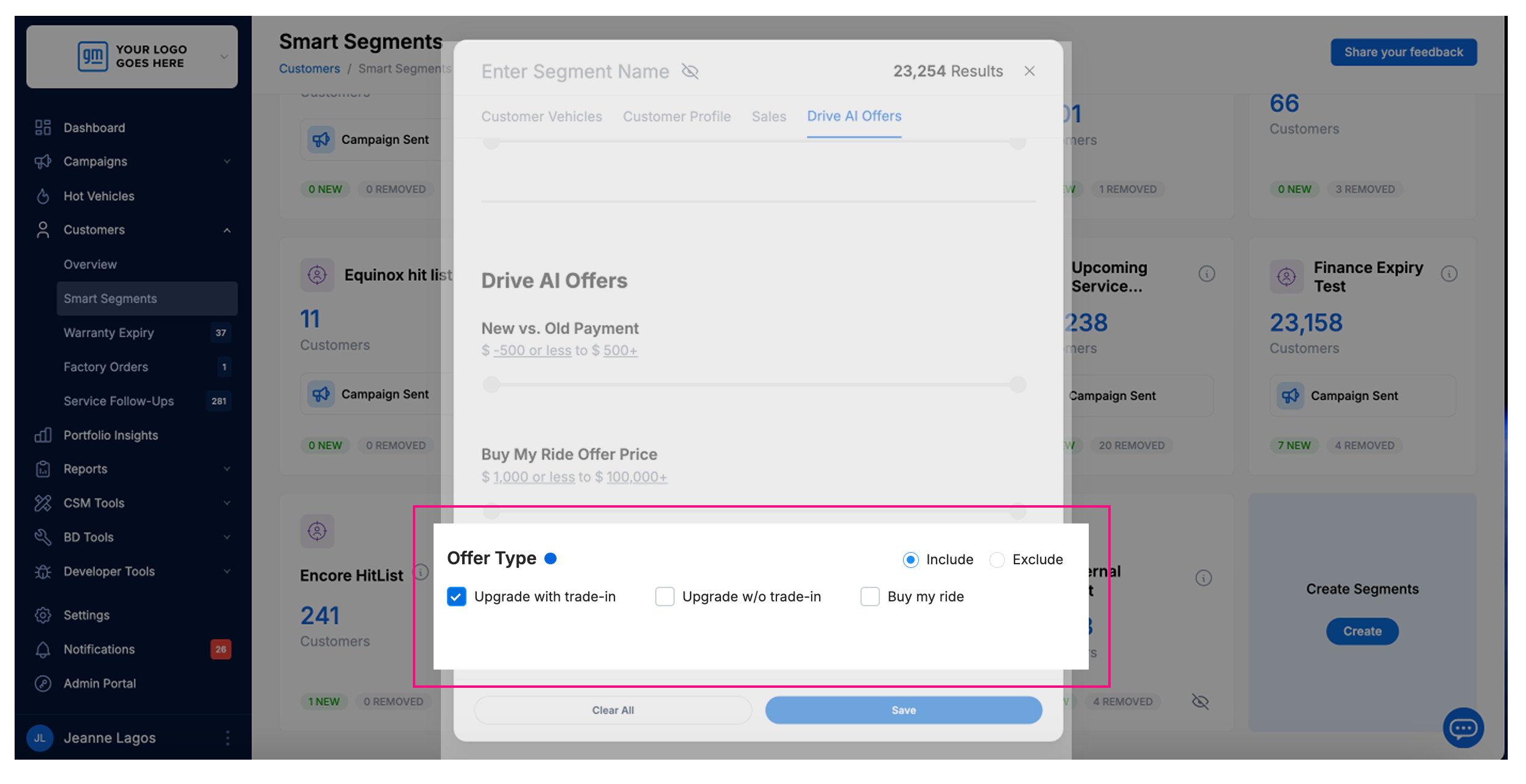
In the Smart Segments filter options, you’ll see a section called Drive AI Offers.
Inside this section, there’s a sub-section titled Offer Type.
Choosing Offer Types
You’ll see three checkboxes: Upgrade with Trade Offer, Upgrade without Trade Offer, BMR Offer
You can select one, two, or all three.
The filter uses OR logic, which means: if you pick more than one, customers who have any of the selected offers will be included/excluded.
Include or Exclude Customers
Once you’ve selected your offer types, you’ll see a toggle to Include or Exclude those customers.
Example: If you select “Upgrade with Trade” and “BMR” and set to Exclude, the system will exclude any customer who has either of those offers.
Portal Visibility Rule
The filter only considers offers that are visible in the customer’s portal.
If a customer can see it when they log in, the filter will take it into account.
This design ensures you can confidently build campaigns knowing you’re targeting the right audience and avoiding overlap with Drive AI’s automated offers.