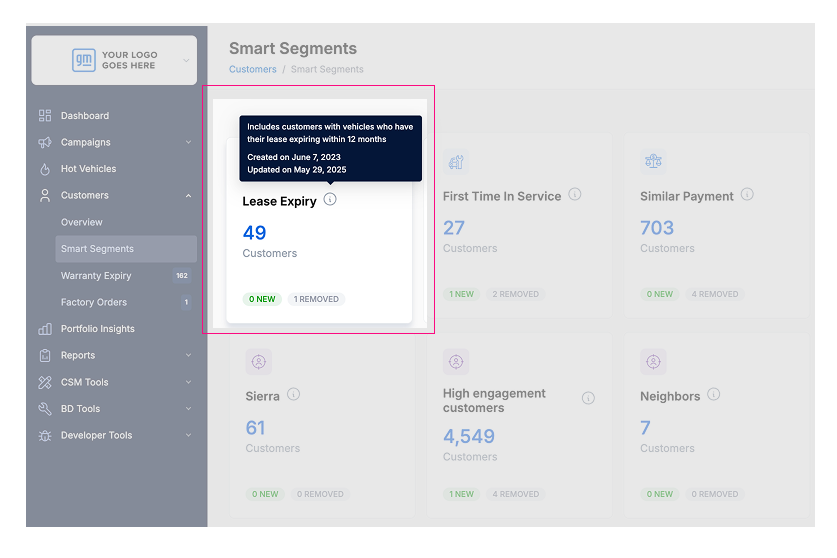
You can now easily see when each Smart Segment was created and last updated.
Knowing the dates help you quickly tell which segments are new and which ones you created a while ago. This makes managing your Smart Segments easier.
How to Check the Dates
1. Go to your Smart Segments list.
2. Find the Smart Segment you want to check.
3. Hover your mouse over the info icon (ℹ️) next to the segment name.
4. A small box will pop up showing:
Created Date (when you first made the segment)
Last Updated Date (the last time it was changed)