

We’ve made updates to Smart Segments to help you better identify and take action on newly added customers. With these enhancements, you’ll spend less time searching and more time connecting with fresh leads.
What's New?
✅ New Customers Are Now Marked with a Green Dot
When a new customer meets the criteria and is added to a Smart Segment, you’ll see a small green dot next to their name. This makes it easy to visually identify who’s recently joined the segment.
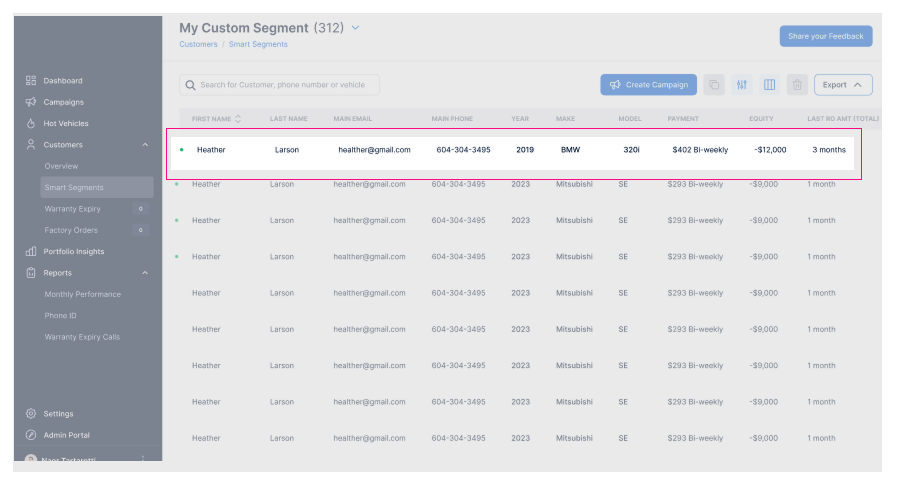
📌 New Customers Appear at the Top by Default
When you open a Smart Segment, newly added customers are automatically displayed at the top of the list, no filtering required. This default view ensures you never miss a fresh lead.
↕️ Flexible Sorting Options Available
To give you more control over how you view your segments, we’ve added new column sorting options. You can now sort the list by:
Ascending– From A to Z, or oldest to newest
Descending – From Z to A, or newest to oldest
No Sort Selected (Default) – New customers appear at the top
You can toggle through these options by clicking the column headers.
If you have any questions or need support navigating the new view, feel free to reach out to your dedicated Customer Support Manager.