

You can now track exactly which Smart Segment filters were used at the time you sent a Smart Campaign, even if those filters have changed since then.
Smart Segments are dynamic, meaning you can update filters anytime. But once a campaign is sent, it's important to know which filters were active when it went out. This feature helps you keep that history for better clarity and reporting.
How it Works
Go to Campaigns in your dashboard.
Select Smart Campaigns.
Click on the campaign you want to review.
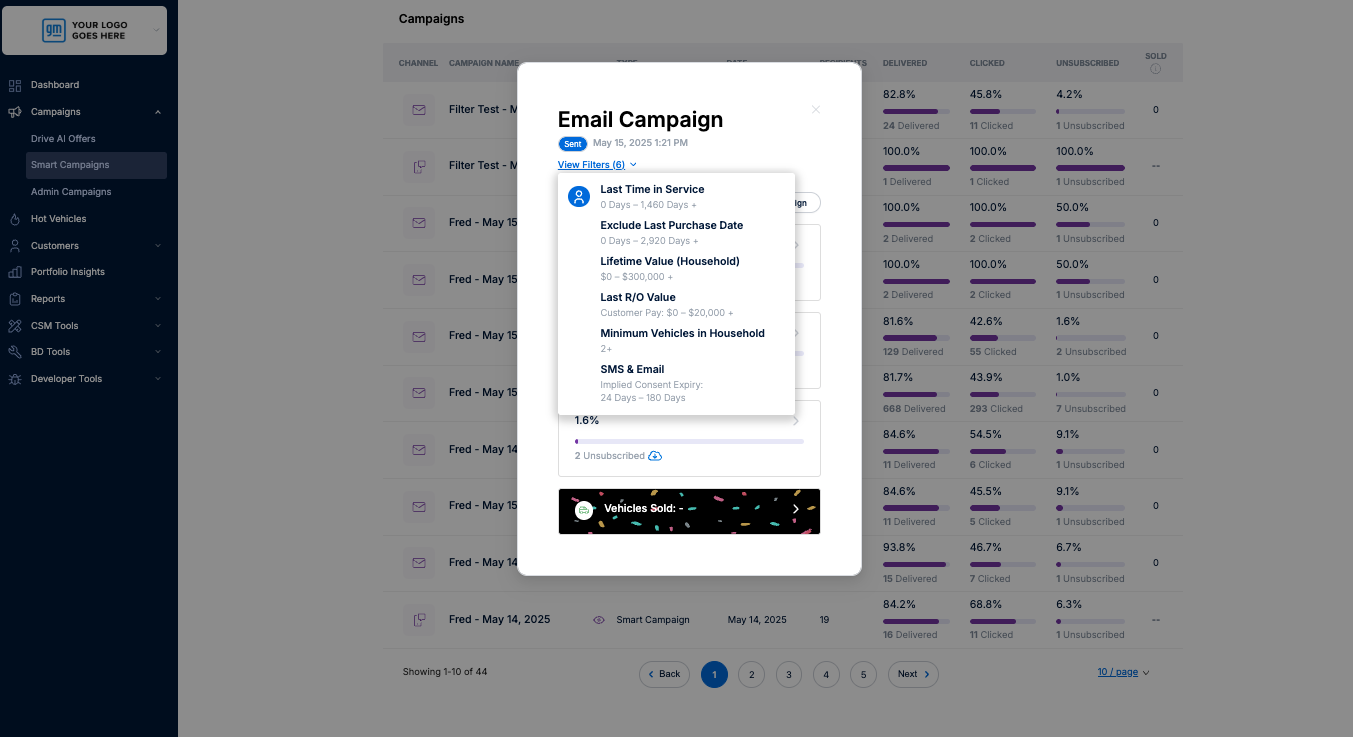
In the Campaigns Details pop up, click the ‘View Filters’ button.
A summary of the filters used at the time the campaign was sent will be displayed.
Use This To:
✅ Understand why a campaign performed the way it did
✅ Keep a clear record of who received what and why
✅ Plan and compare future campaigns more accurately
If you have any questions, feel free to reach out to our support team!