The term "Hot Vehicles" in Drive AI refers to a list of vehicles that are particularly valuable or in demand for a dealership. This list is used to identify vehicles that the dealership would like to acquire, based on current market trends and inventory needs.
How to create a Hot Vehicle list for your dealership:
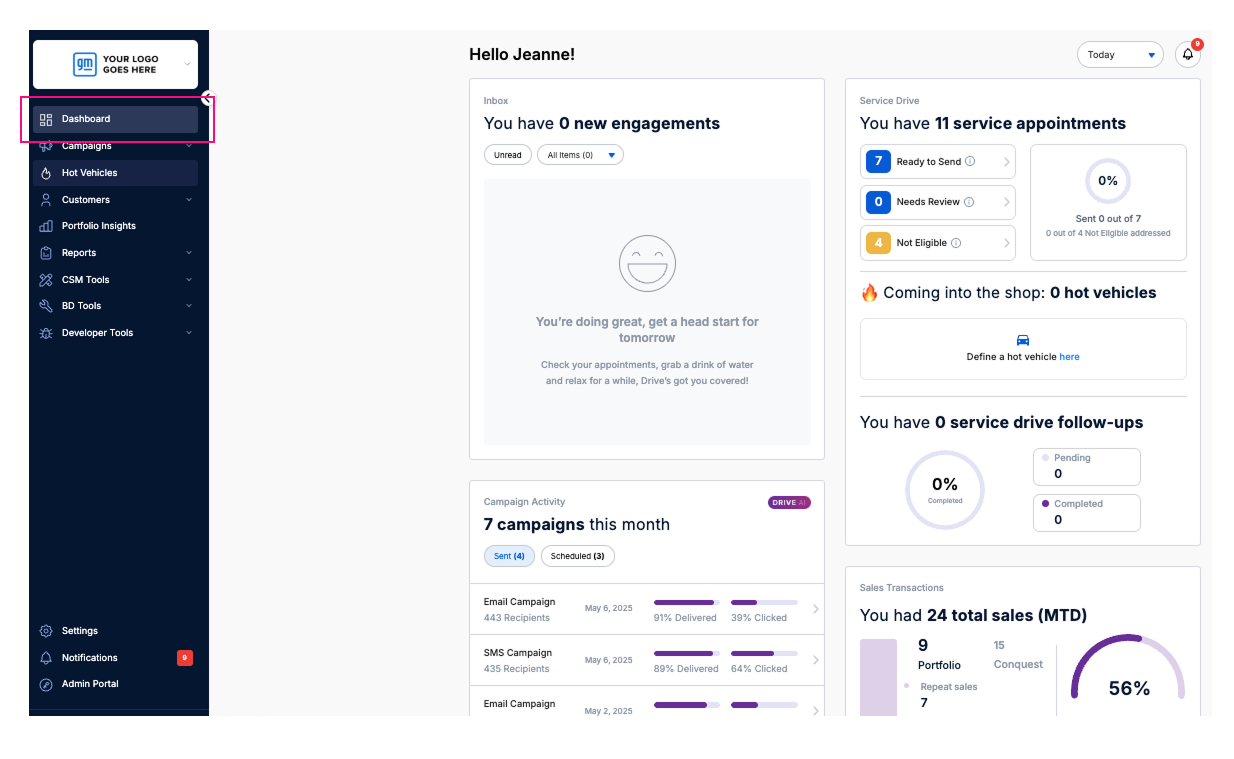
1. Log in to your Drive AI portal.
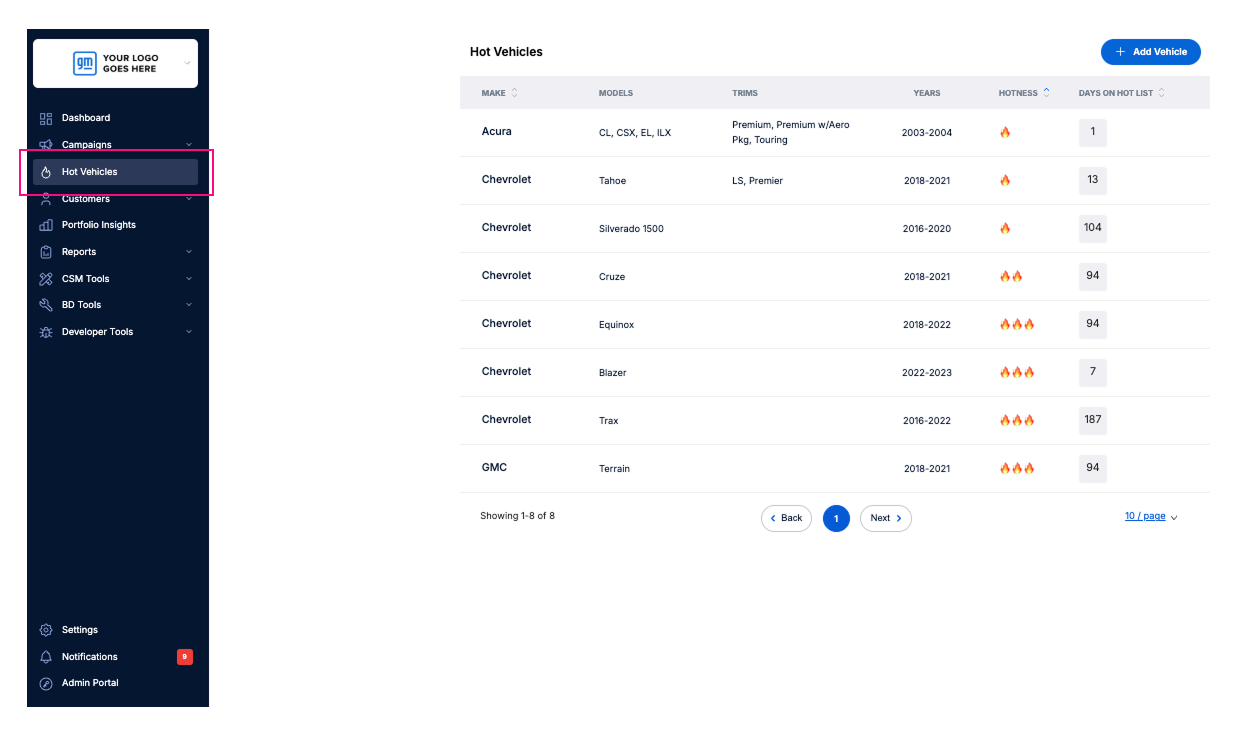
2. Click on the Hot Vehicles tab on the left-hand menu.
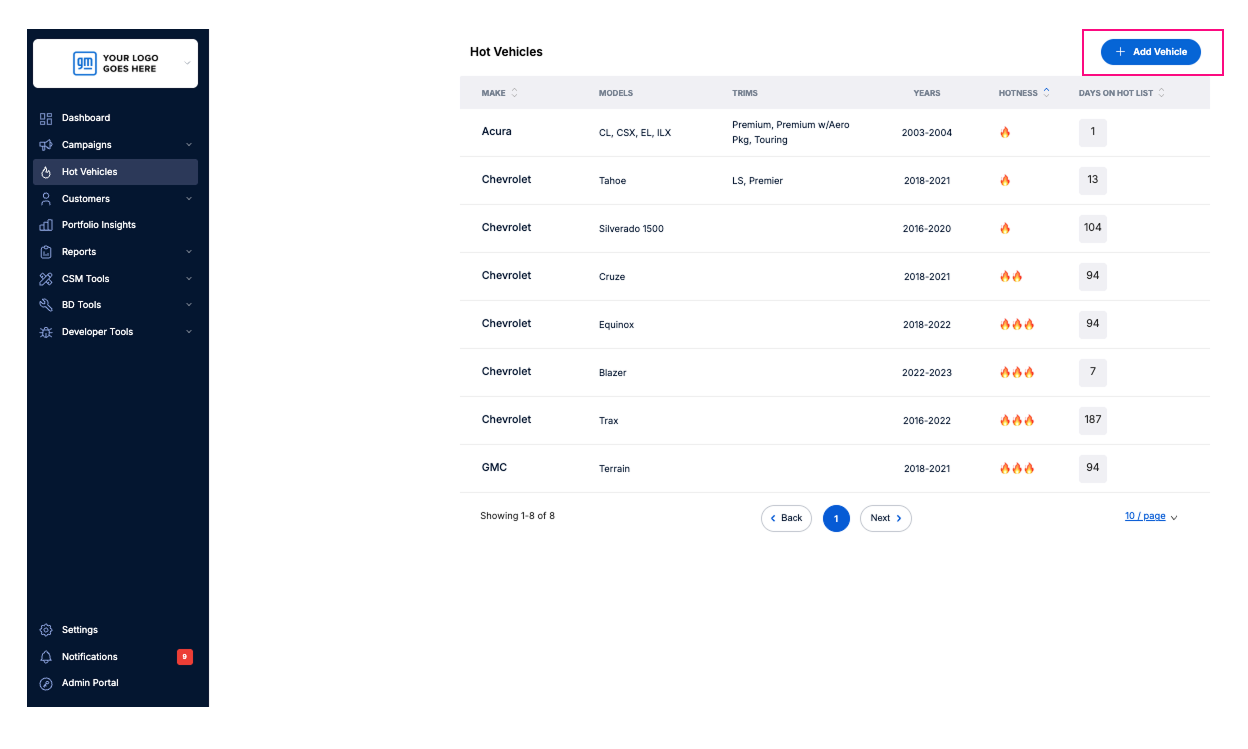
3. Click the Add Vehicle button in the top-right corner.
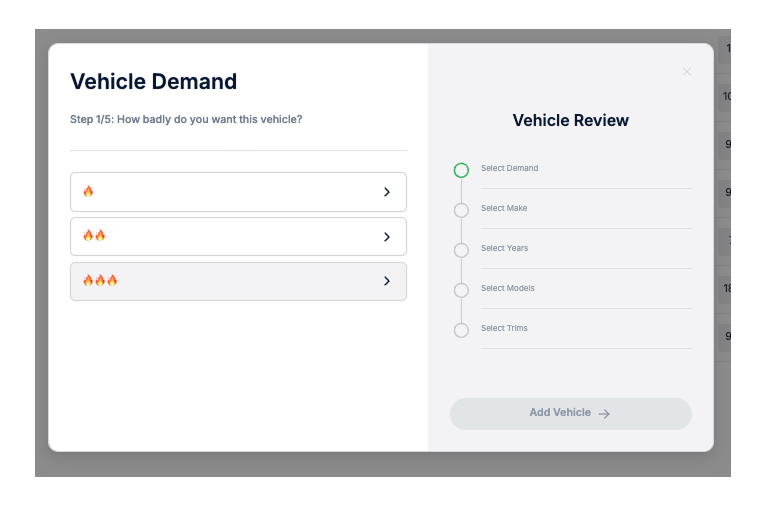
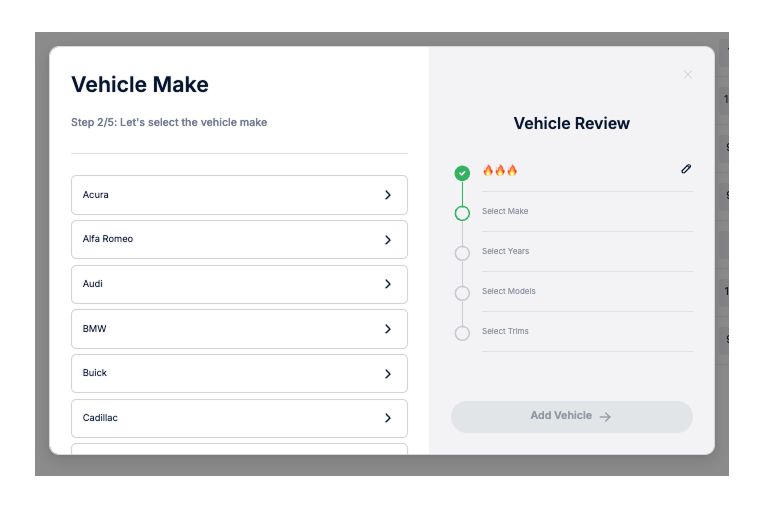
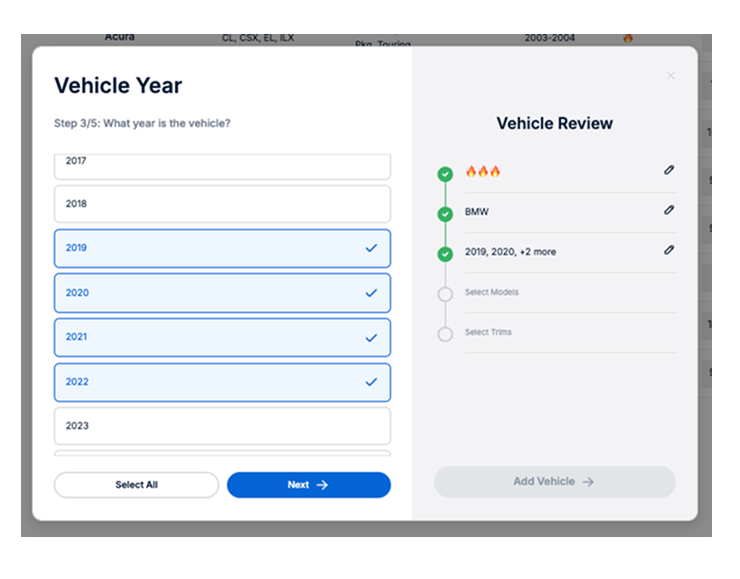
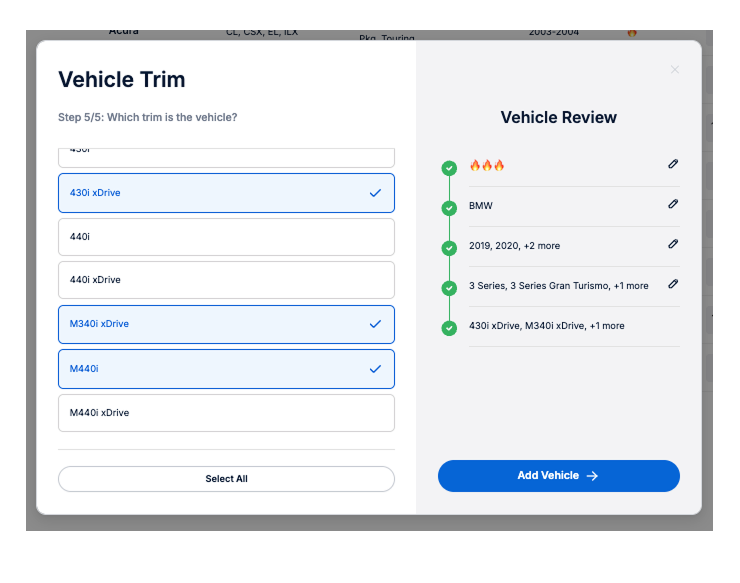
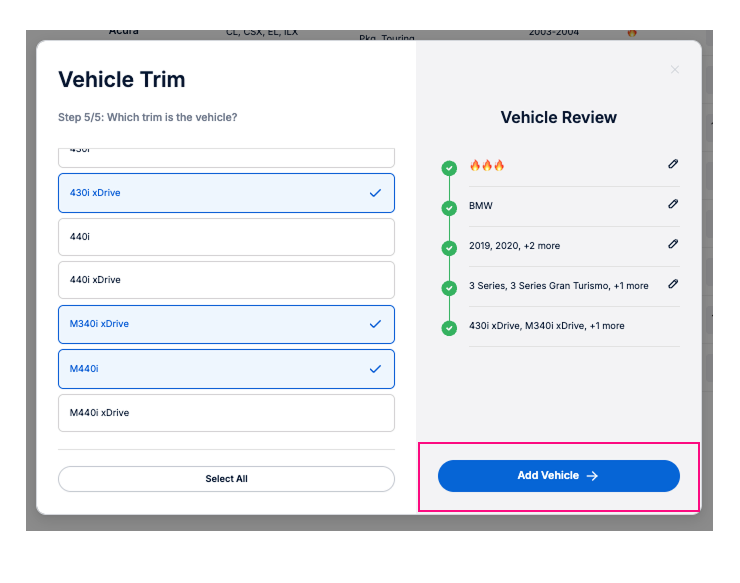
4. A pop-up window will appear prompting you to fill out details:
How badly do you want this vehicle? Select 1, 2, or 3 flames to indicate urgency or demand.
Select the vehicle make from the list.
Choose the model year(s) – you can select more than one.Select the model(s) – multiple models can be selected.
Select the trim(s) – you may choose multiple trims as well.
Click Add Vehicle to finalize your entry.