

To download the unsubscribe list from Drive AI, follow these steps:
Step 1: Log in to your Drive AI portal.
Go to the Campaign tab and click on any campaign.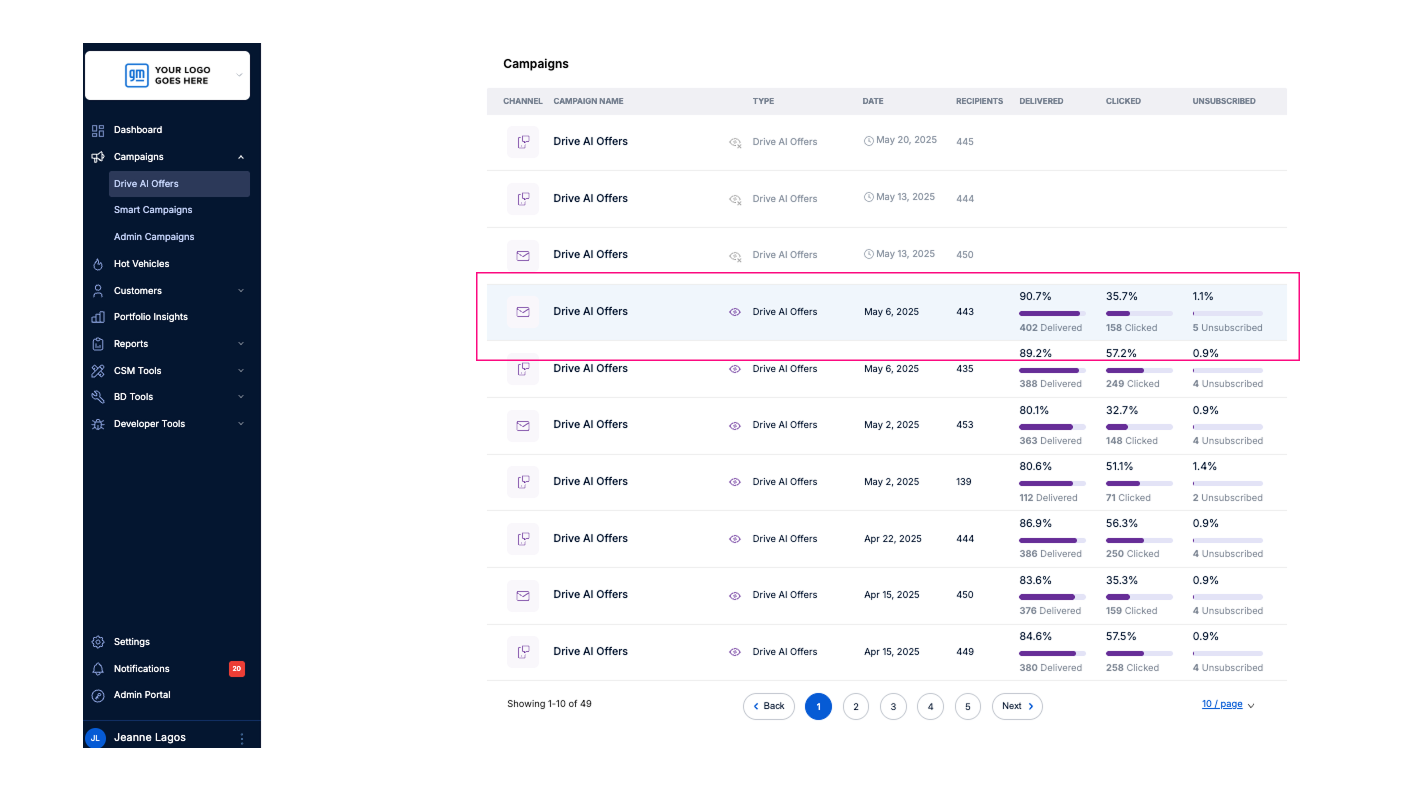
Step 2: On the campaign page, click on the campaign name.
A pop-up will appear, click the unsubscribe download icon to export the list.
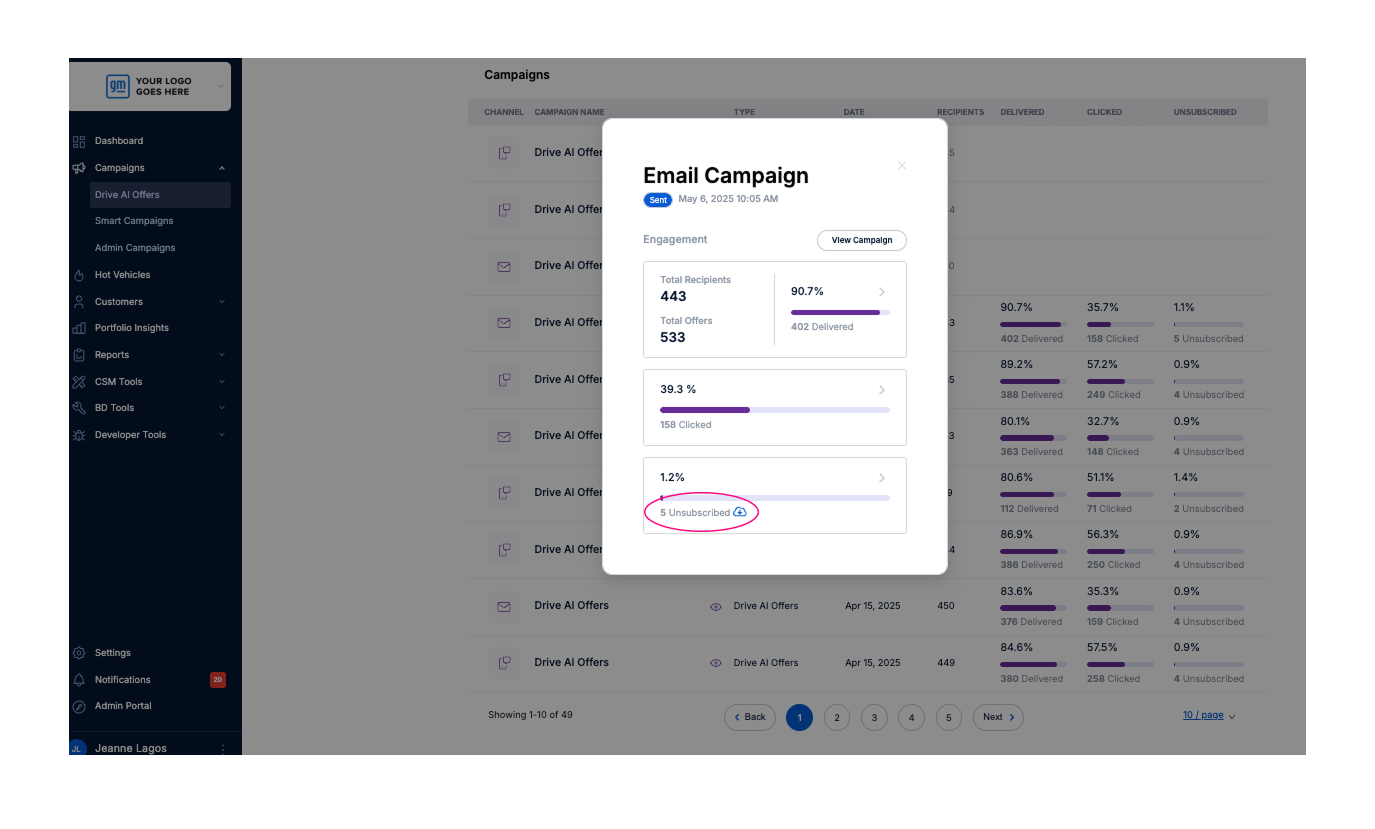
Once clicked, a CSV file will automatically be downloaded to your device.