How to create a Factory Order
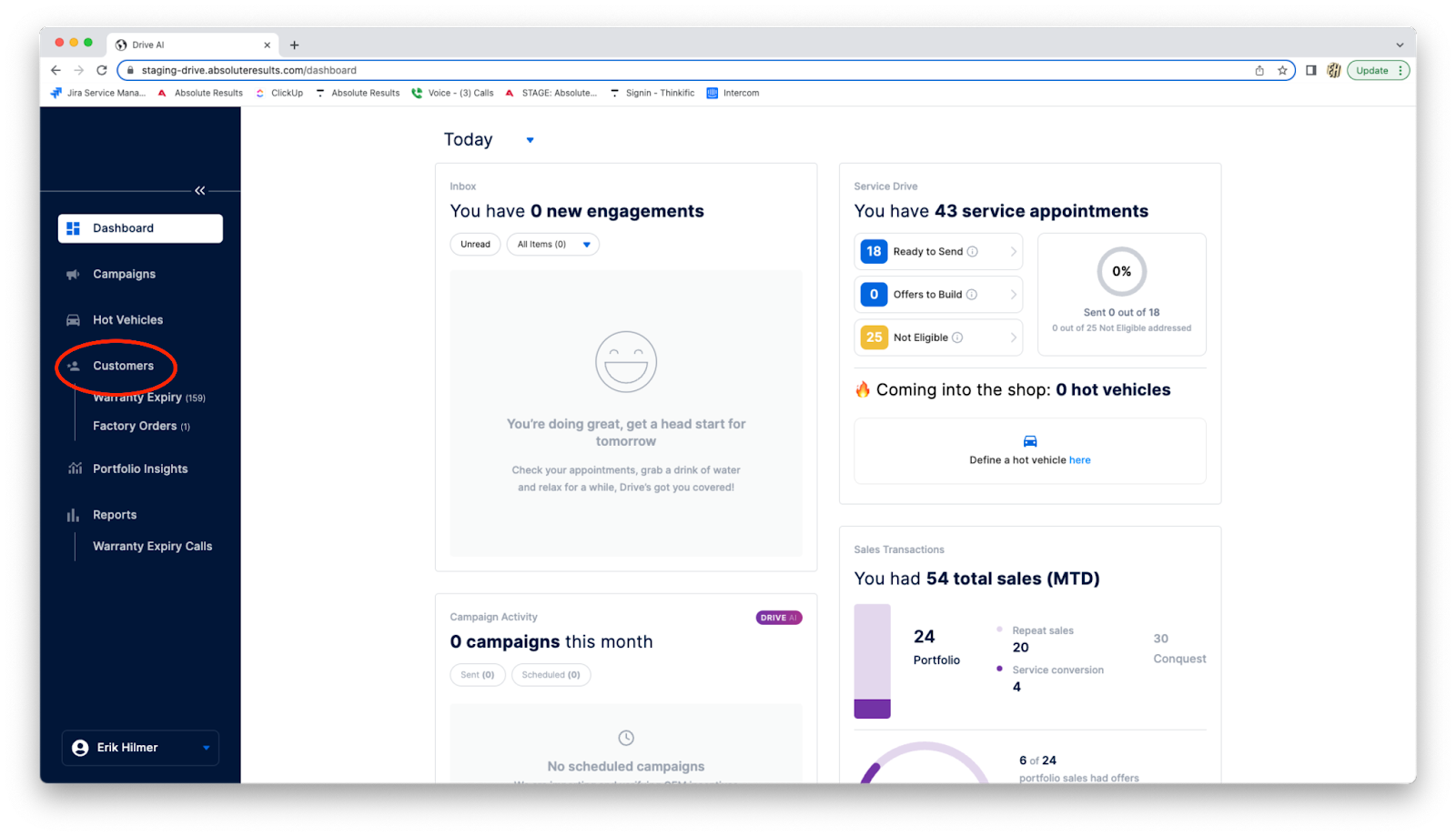
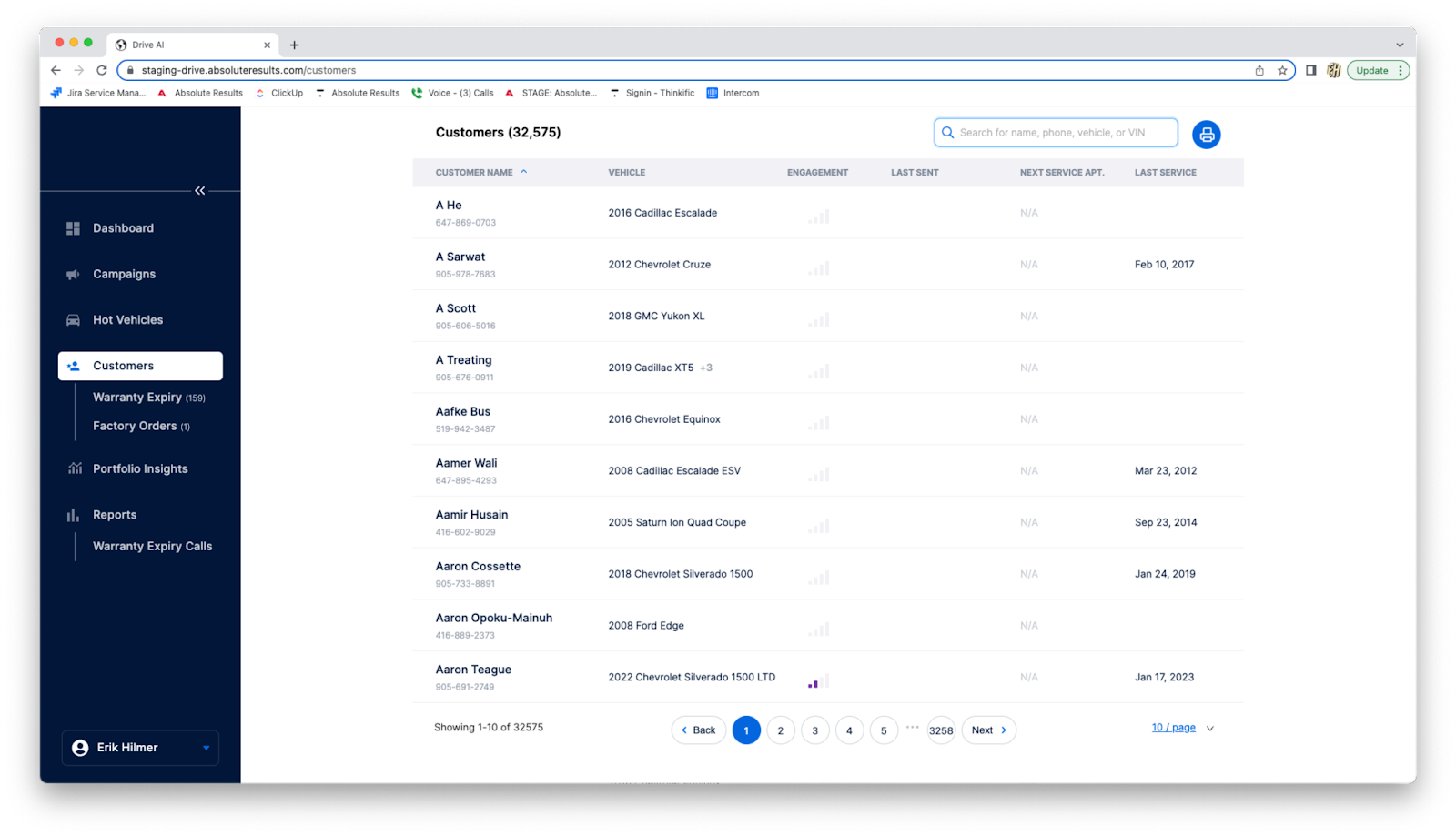
From the Dashboard go to Customers.
On ‘Customers’ select the individual you want or use the search bar to find them.
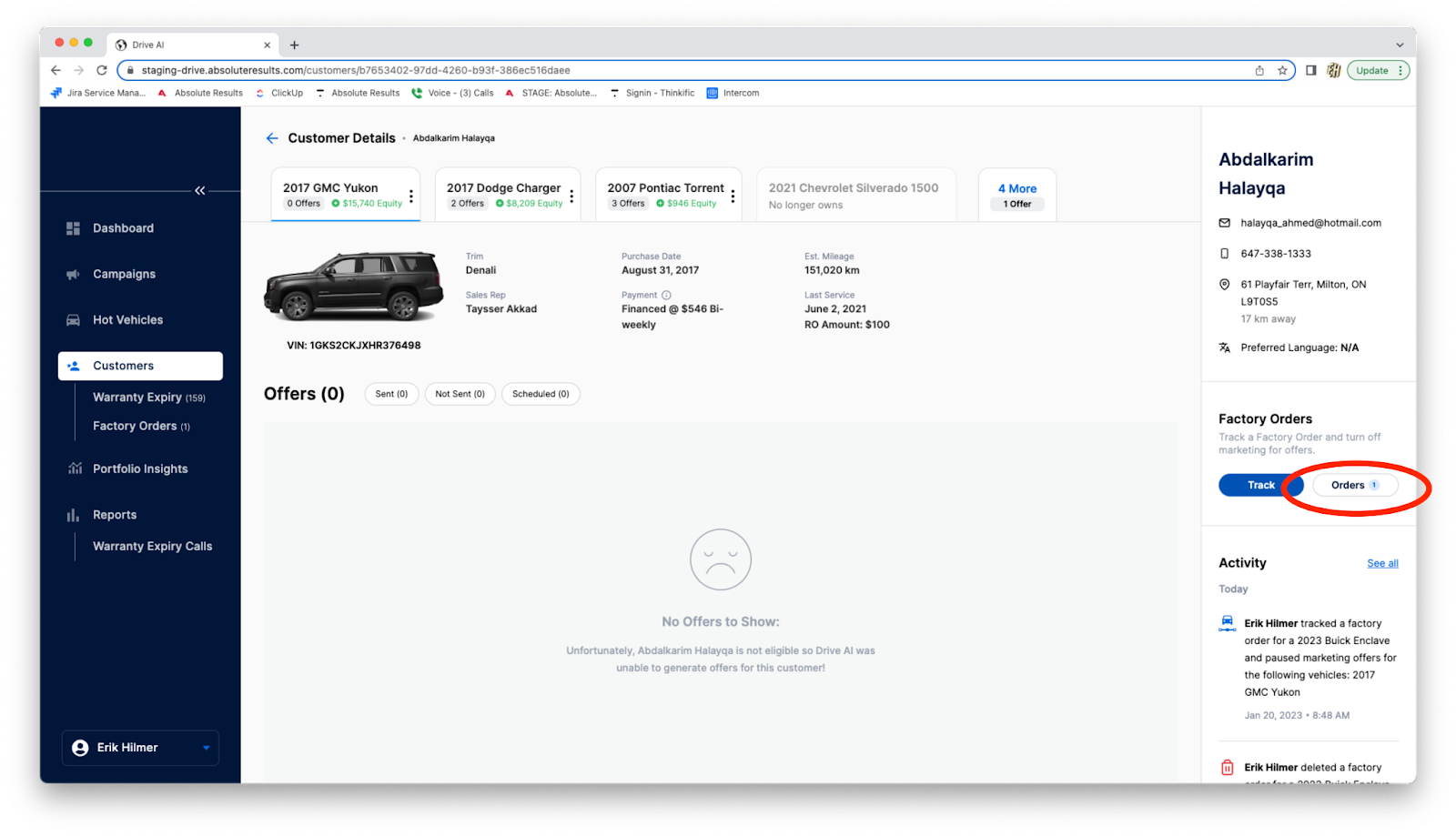
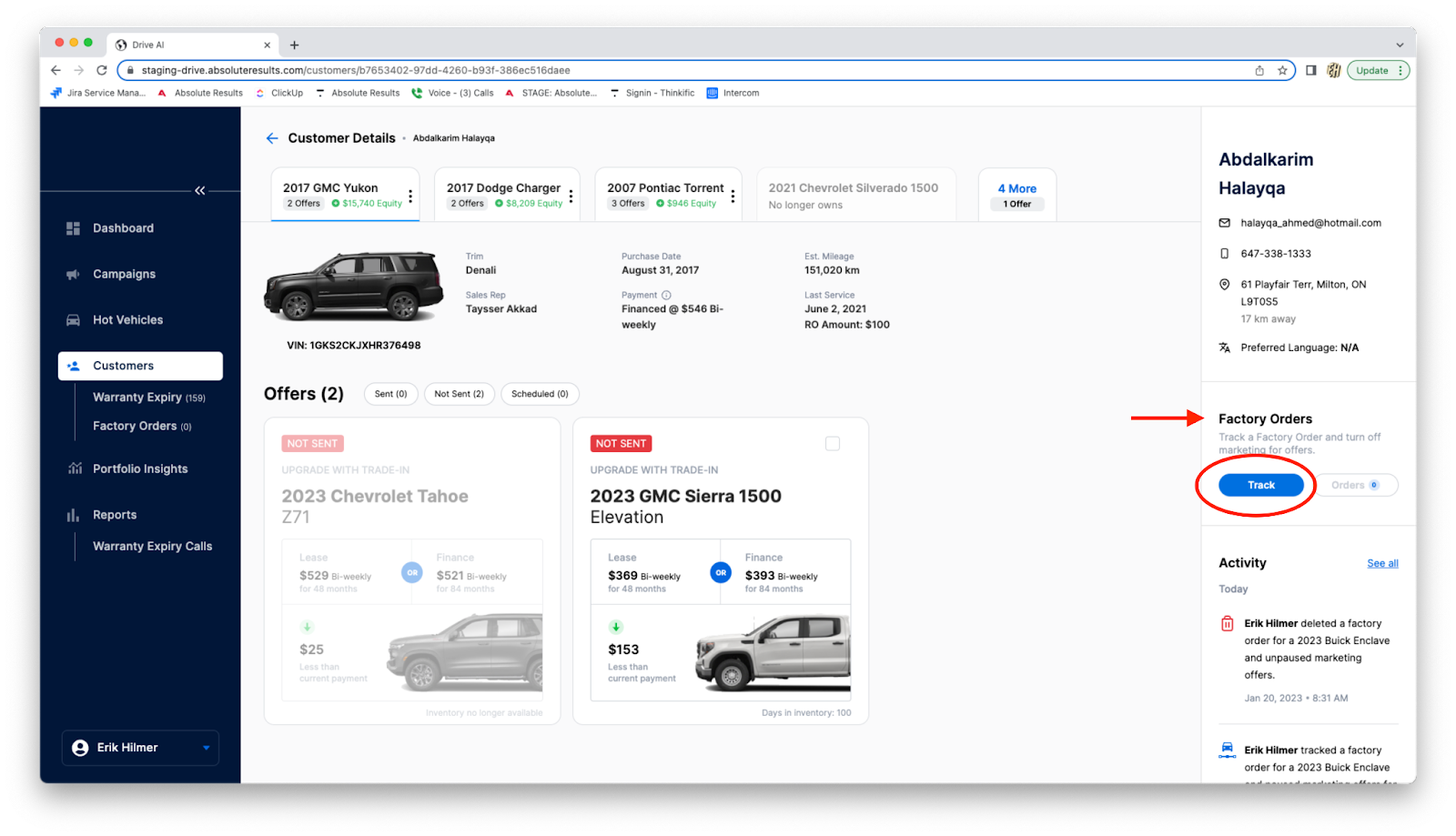
On the customer page, under ‘Factory Order’ select “Track”. A pop-up will appear.
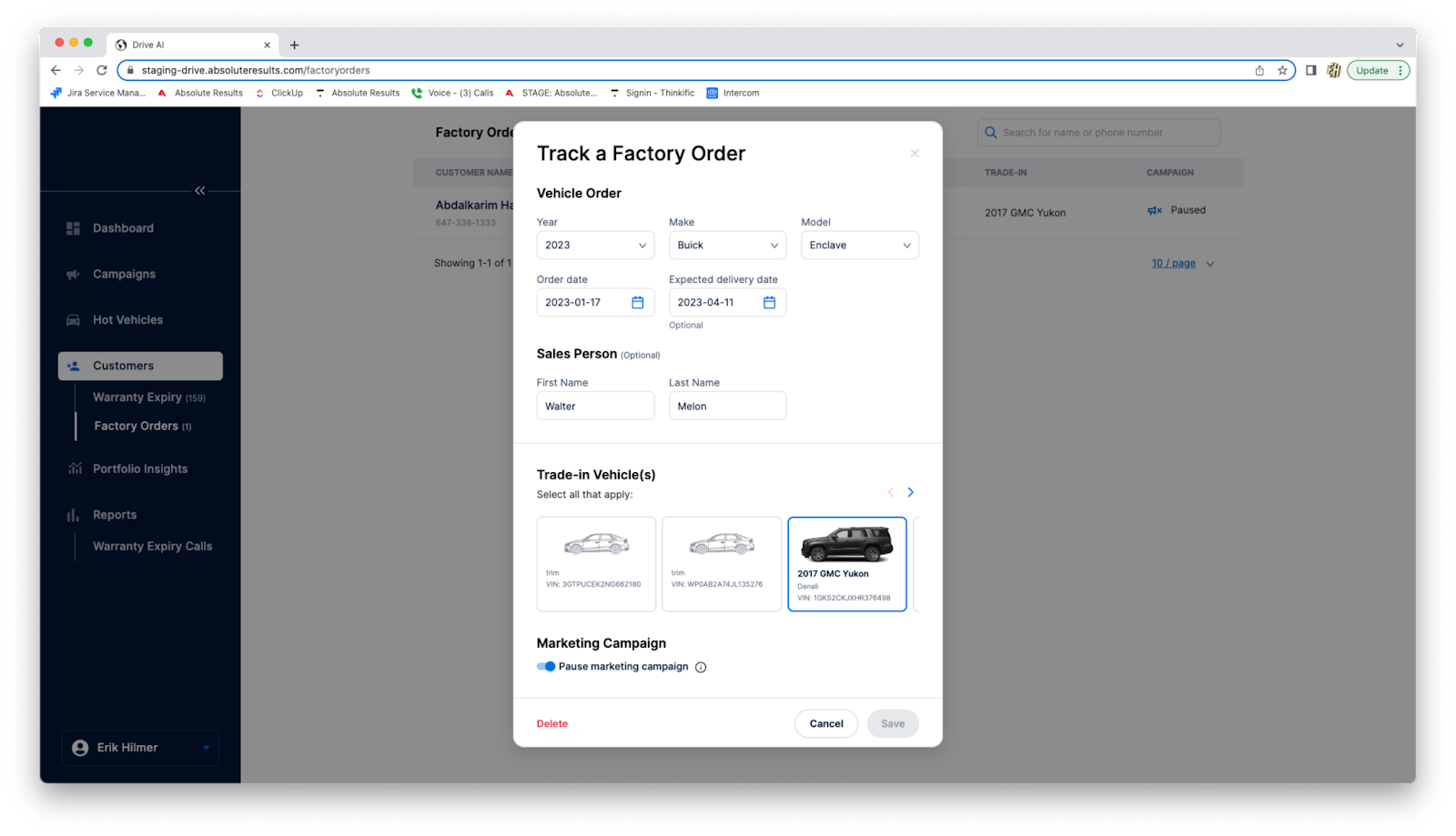
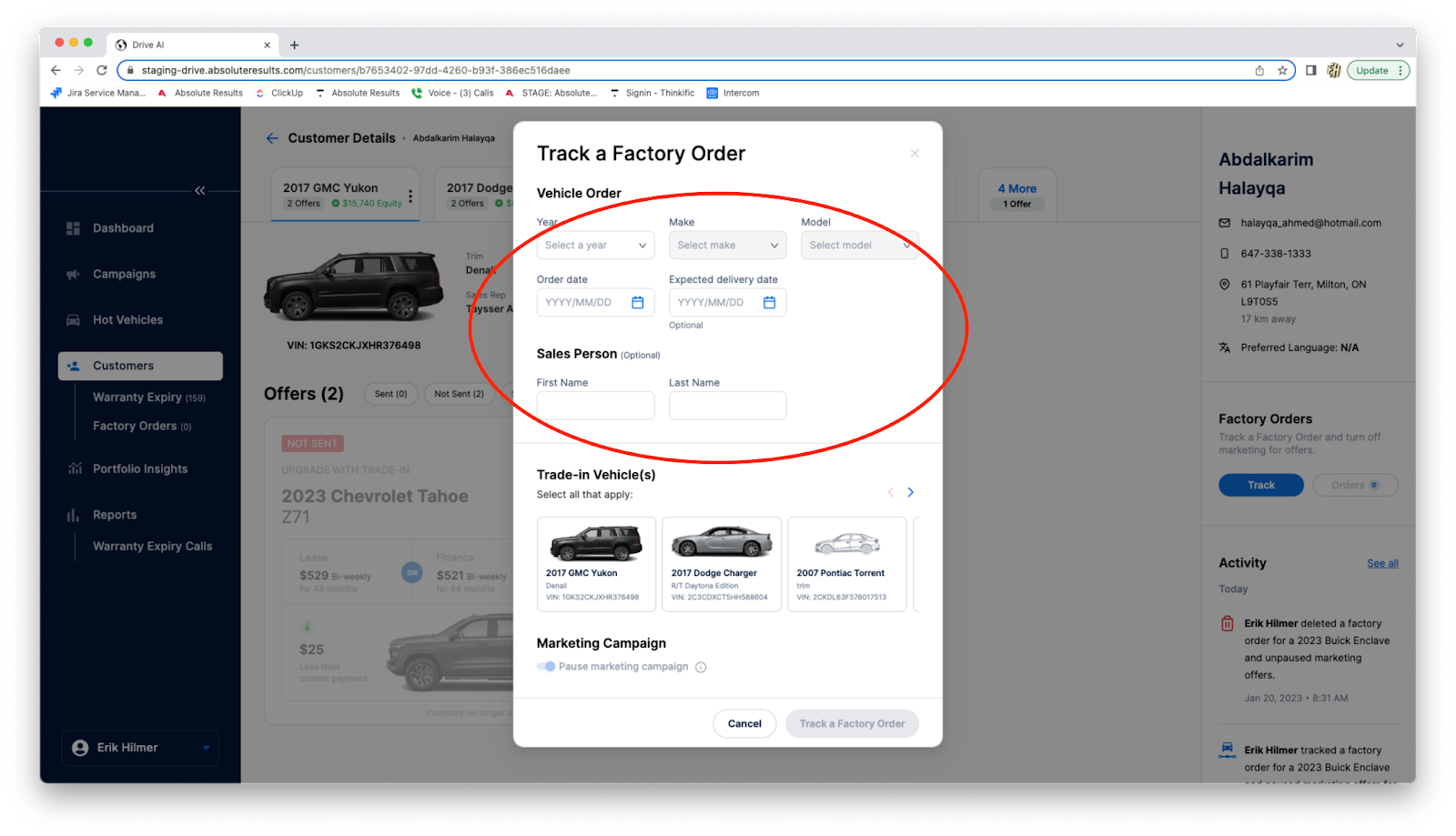
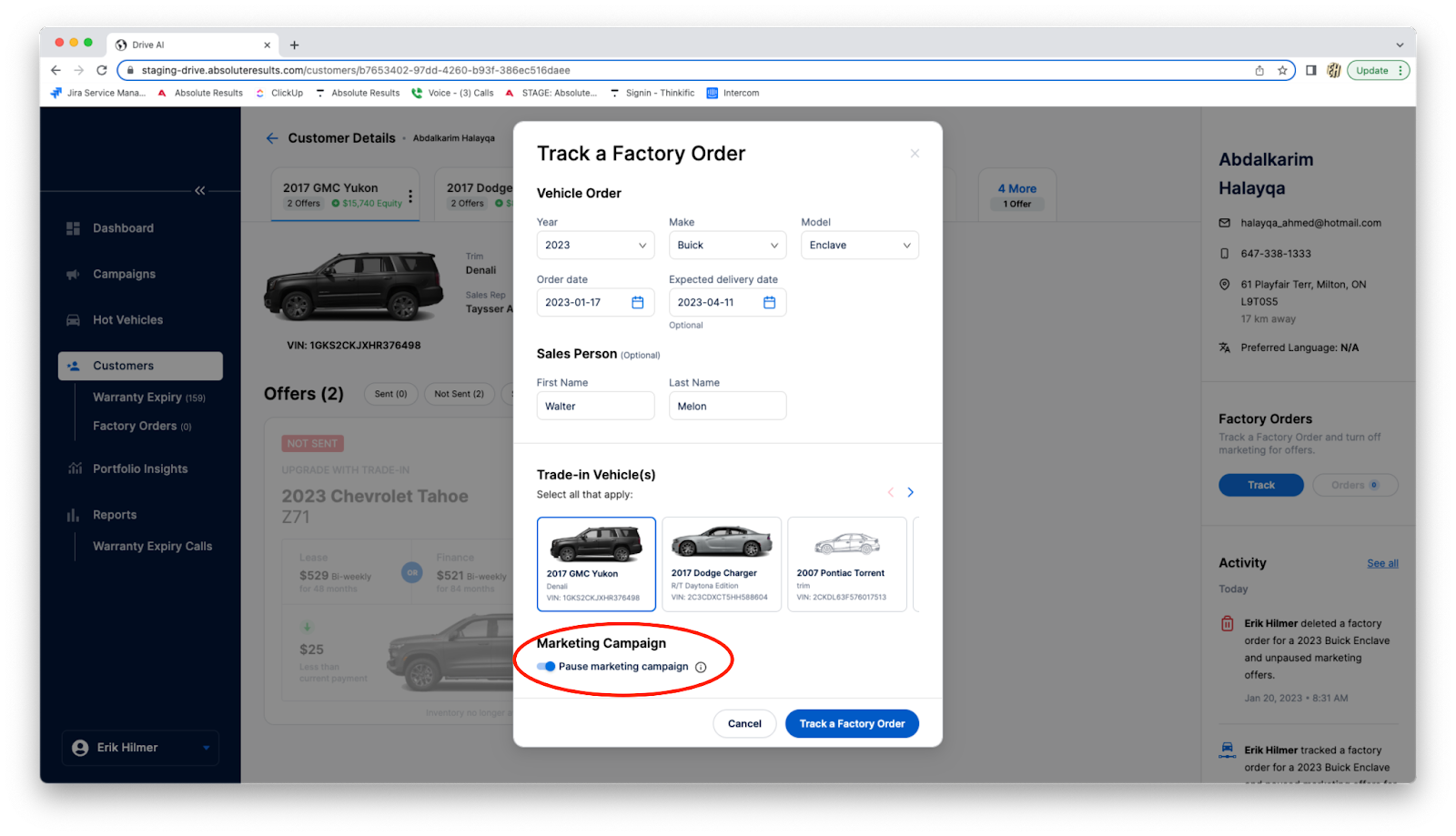
On this pop-up fill out the information of the customer’s factory order.
Select the Trade-In Vehicle.
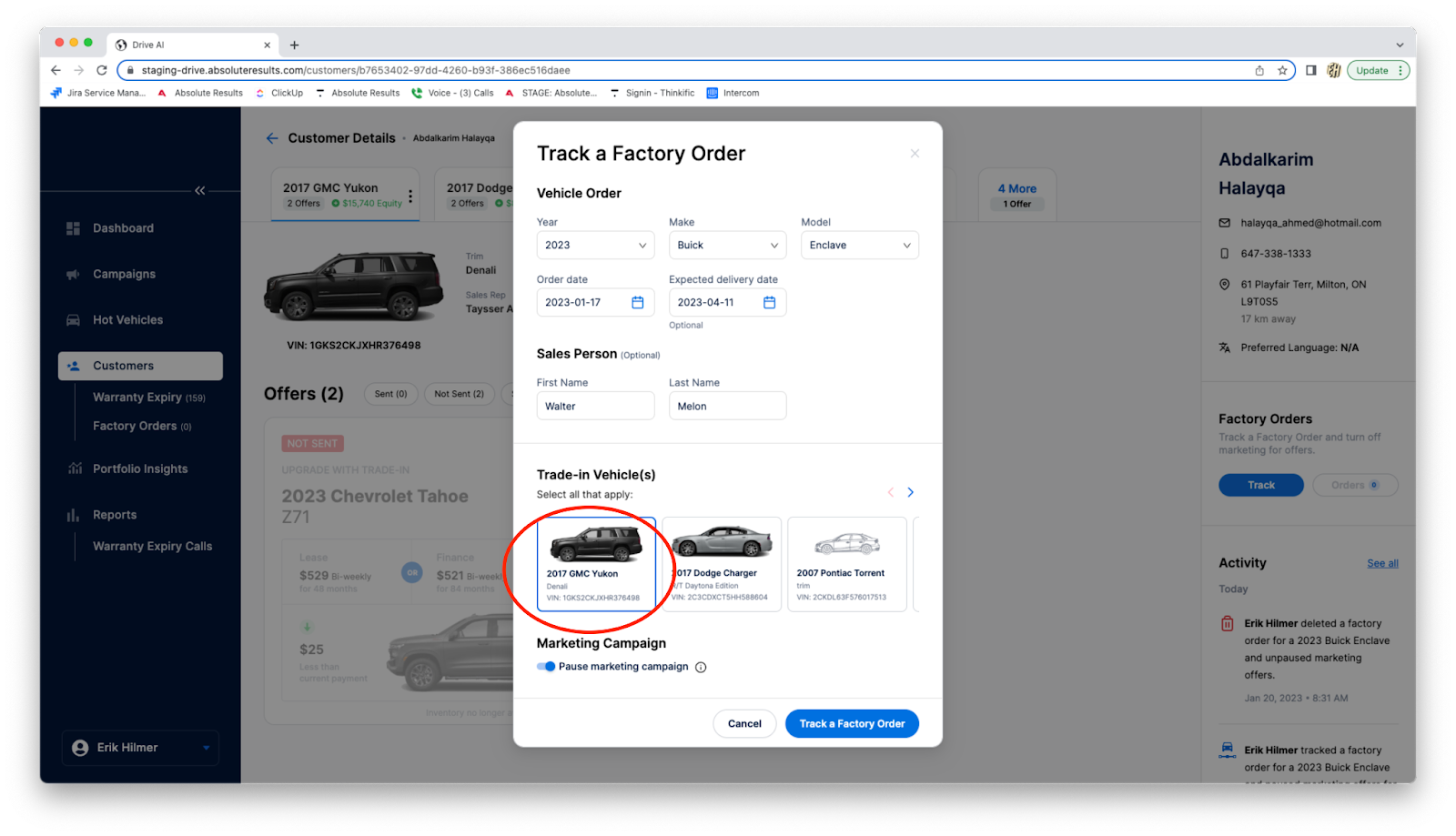
The Marketing Campaign toggle allows you to pause all offers for the selected trade-in vehicle for this customer. Blue = Campaigns pause, Gray = Campaigns active
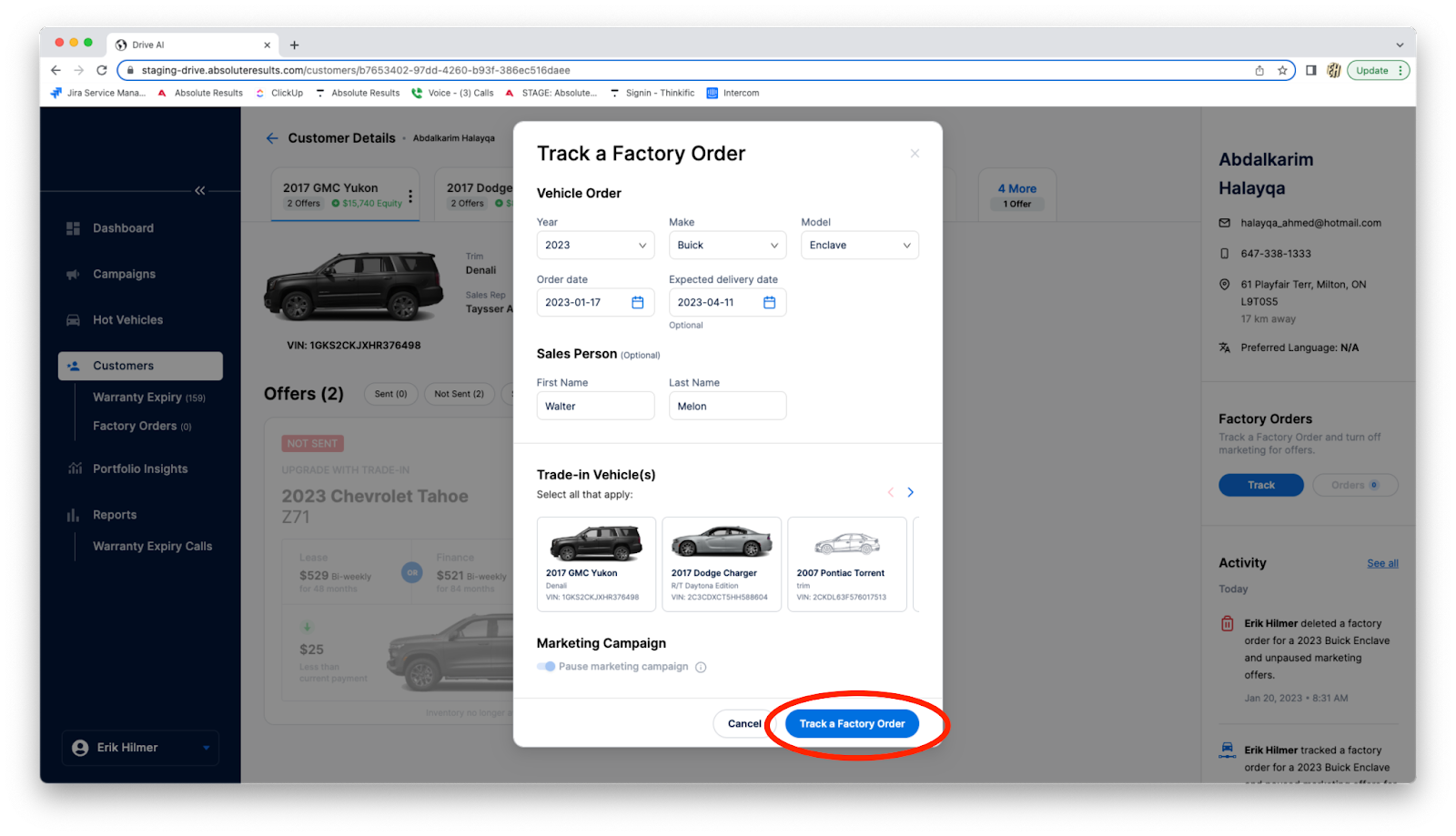
To finish, click “Track a Factory Order”
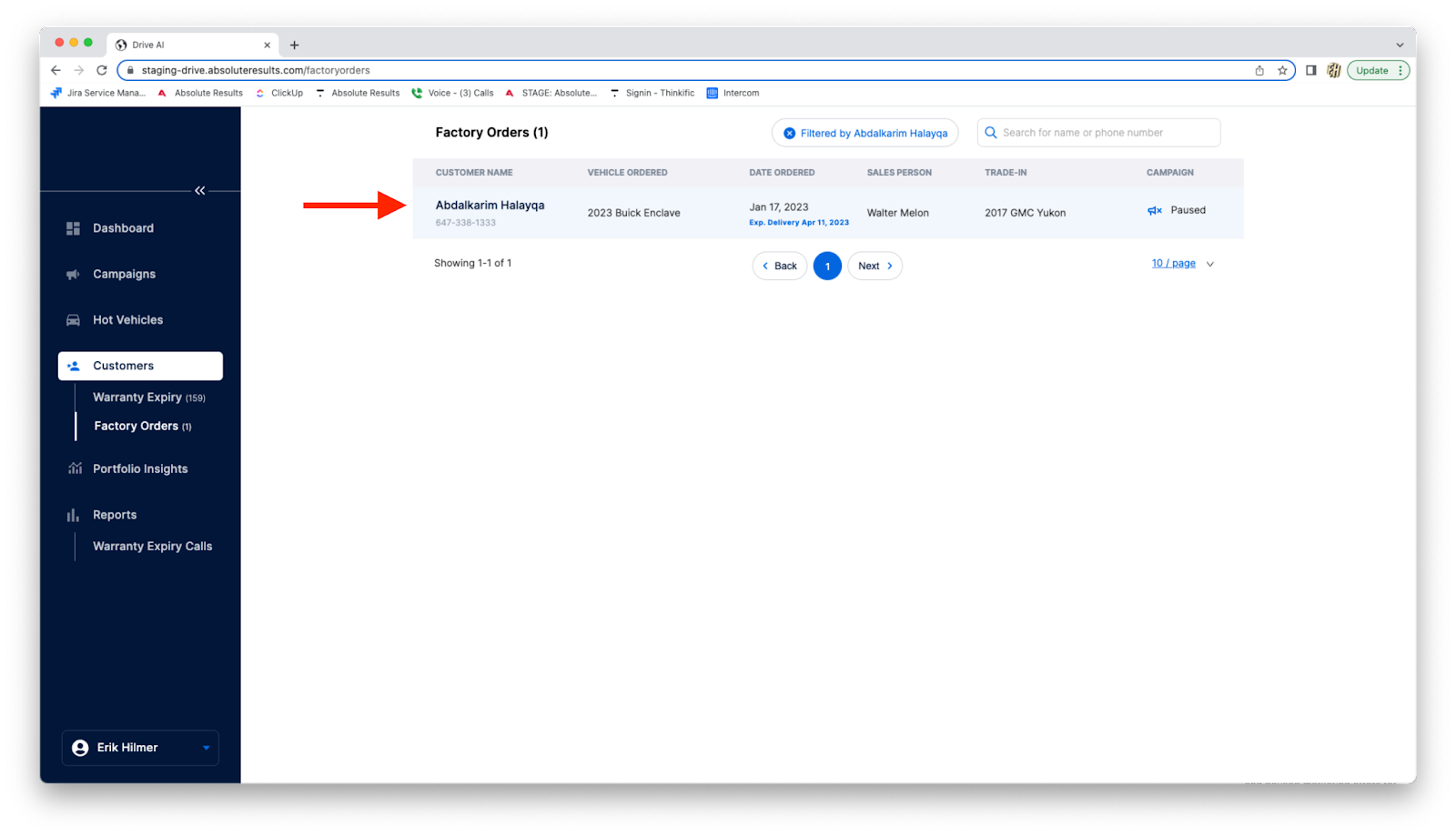
You can view the factory order that you created by clicking on “Orders” this will take you to the factory order page.
Simply click on the customer and the order will pop-up.
You can view, edit, or delete the factory order from this pop-up.